
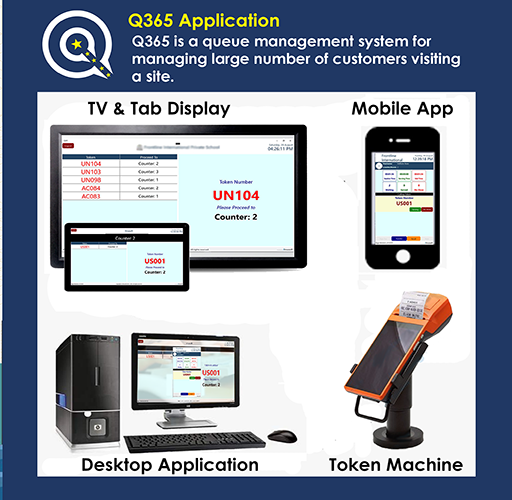
Q365 is a queue management system for managing a large number of customers visiting a site.It is a complete system with all modules in a single application interconnected together using different sign-in.1- Token issuing module with multiple department tokens2- User module used to check the queue and call, serve and transfer etc.
options3- Counter display to show the token number for that counter4- TV display for larger token display, announcement, and digital marketing signage5- Admin portal for management, reports, and analytics.The queue token can be issued with a prefix for different departments and numbers.
E.g.
ACC001 or VIP001Supports multiple counters in multiple departments.Print Token numbers with timestamps on built-in or any Bluetooth printer.Send Token through SMS to the visitor phone number for touchless serviceManagement and reports are done through online portal contact on [email protected]:1- Signup as a business unit with simple information from the application or web portal.2- Install this application on the Android TV or large table for customer queue calling and digital signage3- Install this application in user (servicing employee) mobile for calling customers in the queue for service.4- Install this app in small wifi tablets for displaying the token numbers on a particular counter and take feedback after serving.
https://andro.io/app/q365
 Power 100



Android app profile
Q365 App for Android – Latest Version & Features
★★★★★
(0 ratings)
Rate this app
How do you feel about Q365 App?
Thanks for your feedback!
> 2.2k
Monthly Downloads
~$900
Estimated Cost
Screenshots









