
With the abcbank PushTAN-App you get a comfortable and secure TAN procedure on your smartphone.
The TANs required for online banking are sent directly to your mobile device.
There are no additional costs involved.
Important note: Please only install the app if you are registered for the abcbank PushTAN procedure and have received your personal activation letter.
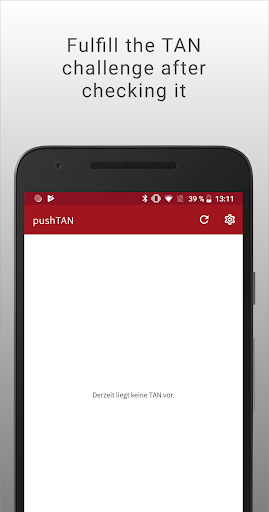
FEATURES- With the abcbank PushTAN-App, you can receive TANs on your smartphone that you need for online banking.- All important information about the process is displayed on your device for double checking.- Can be used for all processes requiring a TAN: Approve Payments, Standing Orders, Administration and much more.- Get notified of certain events, such as credit notes or charges on your account.
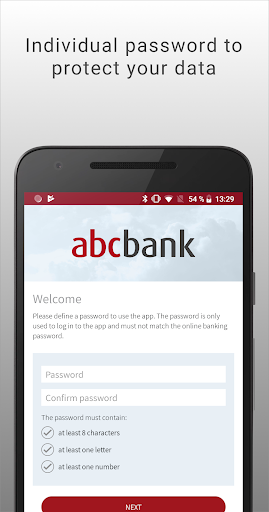
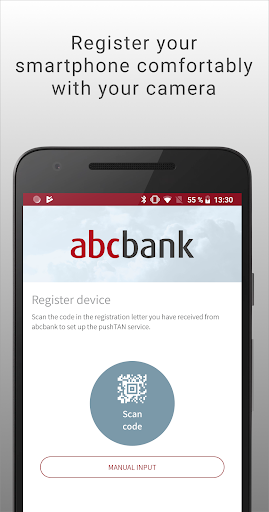
ACTIVATION- Download the PushTAN-App to your smartphone- In Online Banking, select the PushTAN procedure under Service > TAN Administration > TAN Procedure- With the activation graphic displayed, you can link the app with your online banking account, follow the instructions- Complete the procedure by entering the received TAN SYSTEM REQUIREMENTS- You need Android version 4.2.0 or higher.- Your device must be connected to the Internet.- Please do not deny any of the requested permissions, these are required for the app to function correctly.
HELP AND SUPPORTOur Customer Support will be happy to help you:- Mail: [email protected] Phone: (0221) 5 79 08-380- Mo - Fr: 8:00 -18:00 Uhr
https://andro.io/app/pushtan-12egx
 Power 100
Android app profile
abcbank PushTAN for Android – Latest Version & Features
by abcbank GmbH | abcfinance GmbH
★★★★★
(0 ratings)
Rate this app
How do you feel about abcbank PushTAN?
Thanks for your feedback!
> 2.2k
Monthly Downloads
~$900
Estimated Cost
Screenshots









