
PROXESS Now is the personal assistant for processing your documents.
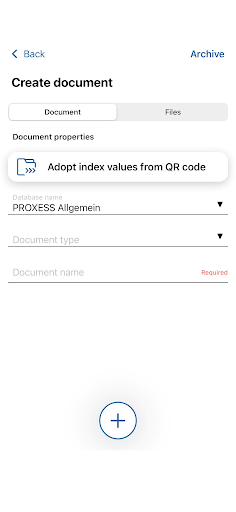
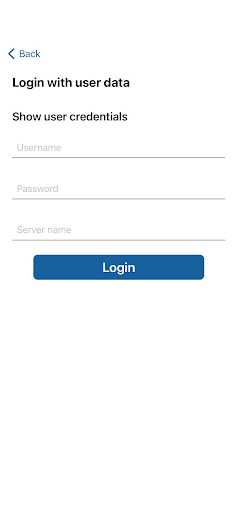
With the help of PROXESS Now, documents can be scanned easily and quickly while on the move, mobile and added to a process.Registration is uncomplicated using the existing PROXESS user data, which is either entered manually or used when registering using a specially generated barcode.
As soon as the user is logged in manually with the user data, he remains logged in until he logs off.
This enables quick and easy work with the help of the app.The app currently offers these functions:- Create a new file- Add another file to a process- Search in the PROXESS archive with the Quick search or the Keyword search- File viewingCreate new file:The user can scan a receipt and either enter the index values manually or take them from a QR code.Add another file to a process:With the help of a QR code generated from our webclient, the user can add another receipt to an existing process.Search in the archive:With PROXESS Now you can search your documents like in the web client from PROXESS.
Use the Quick search or the Keyword search.
https://andro.io/app/proxessnow
 Power 100


Android app profile
PROXESS Now for Android – Latest Version & Features
by PROXESS GmbH
★★★★★
(0 ratings)
Rate this app
How do you feel about PROXESS Now?
Thanks for your feedback!
> 2.2k
Monthly Downloads
~$900
Estimated Cost
Screenshots









