
HackMotion wrist sensor is a cutting-edge biofeedback sensor for golf, providing precise wrist data after each swing.HackMotion Golf app is used together with any HackMotion Golf wearable wrist sensor.HackMotion Golf wrist sensor uses motion-tracking technology to capture wrist movements during the golf swing.
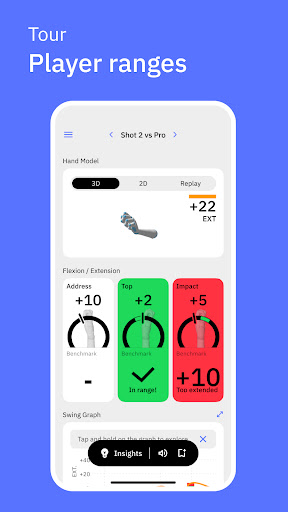
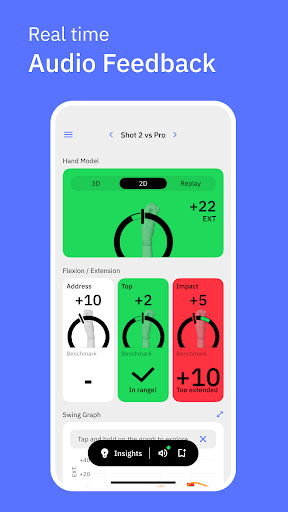
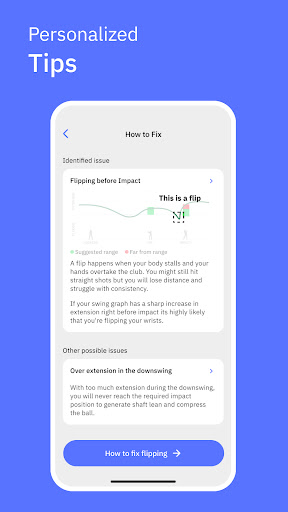
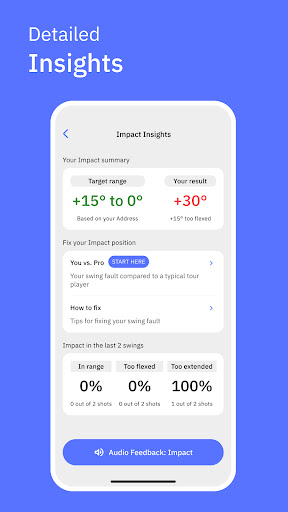
HackMotion Golf app allows you to visualise your golf swing data and provides real-time audio biofeedback.Main features include:• Automatically capture your golf swings for analysis• Wrist flexion/extension and ulnar/radial deviation data• User-adjustable audio biofeedback• Real-time 3D hand model• Automatic swing phase detection (address, top, impact)• Session & swing data storage & databasePut the wrist sensor on and power up.
Open the HackMotion Golf app, choose a training mode, start a new session and calibrate your sensor.
The system automatically detects golf swings and stores the data.Note: You need to connect to the HackMotion Golf wrist sensor to use the main features of the app.
The available features are adjusted according to the connected sensor.
https://andro.io/app/production-10isr
 Power 100
Android app profile
HackMotion Golf for Android – Latest Version & Features
by HackMotion
★★★★★
(0 ratings)
Rate this app
How do you feel about HackMotion Golf?
Thanks for your feedback!
> 2.2k
Monthly Downloads
~$900
Estimated Cost
Screenshots









