
The CTU-NetTest mobile application of the Czech Telecommunication Office serves to measure the basic parameters (upload and download speed, ping, level of signal) of mobile Internet connection.
It informs users about the current QoS of the Internet access service.
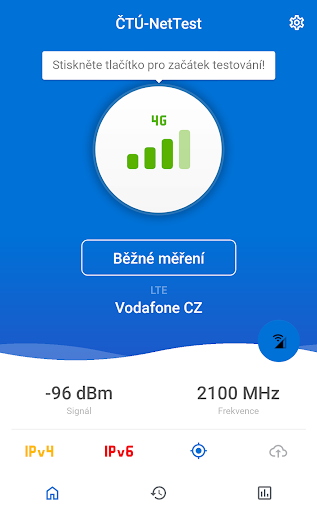
After opening the application, information on the current state of connection will display – the Internet access type used (Wi-Fi of mobile data), signal level, device assigned IP address etc.
The measurement could be executed by three scenarios – basic measurement, loop mode, and certified measurement.
Pushing the Start button launches the selected measurement scenario.
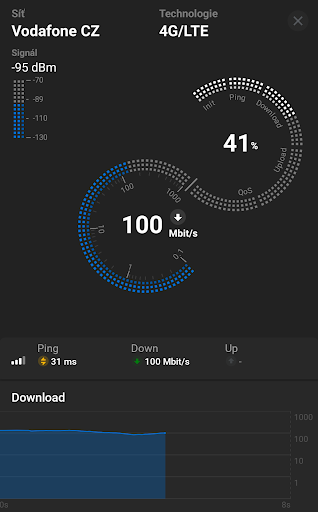
The measurement scenario consists from initialization, ping test, download speed and upload speed measurement followed by QoS measurement (Quality of Service).
The measurement process is depicted graphically.
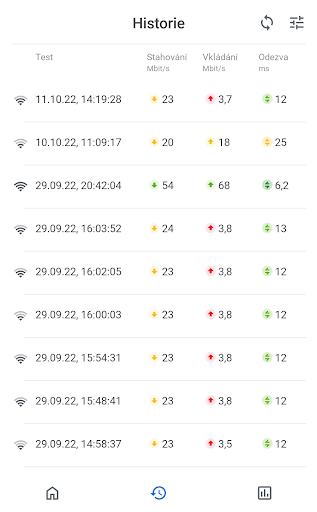
After finishing the measurement, the aggregated results are displayed and saved on CTU website where the user can view them through the application and/or download as PDF anytime.This is the first official version of the application; Therefore, some functionalities could be limited or unavailable on some devices.The measurement results are available after anonymisation as open data on URL https://nettest.cz/en/Opentests.
For detailed description of the application’s use and more information, visit URL https://nettest.cz/en/Apps.The application is rooted in RTR-NetzTest project available on URL https://github.com/rtr-nettest/open-rmbt-android.
https://andro.io/app/prod-l43a
 Power 100
Android app profile
CTU-NetTest for Android – Latest Version & Features
by Český telekomunikační úřad
★★★★★
(0 ratings)
Rate this app
How do you feel about CTU-NetTest?
Thanks for your feedback!
> 2.2k
Monthly Downloads
~$900
Estimated Cost
Screenshots









