
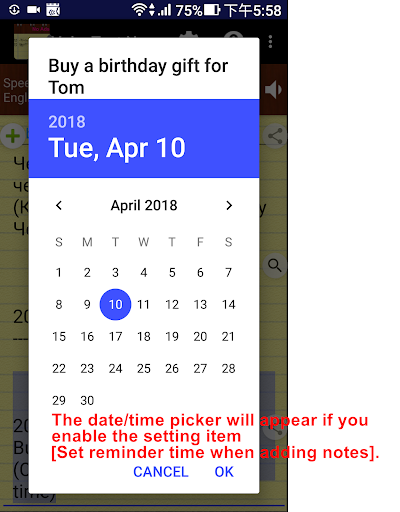
* Just one payment, no additional monthly or subscription fees!* After this paid version installed, please launch the new app icon with "Pro"* Paid version premium features: Remove Ads Print function Unlimited to use [Set reminder time when adding notes] and the Alarm buttonFeatures:- Only one touch needed.
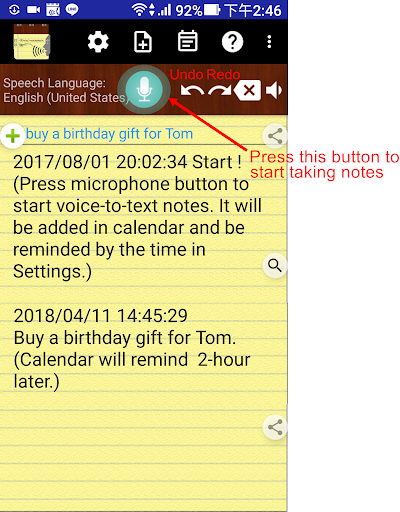
It can keep receiving your speech and convert to text.
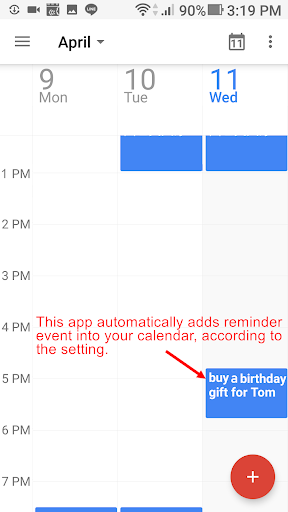
Note down and remind you later at the date/time you set.- Easily take notes, memos, to-do list and more just by speaking!- Integrated with your Android calendars, you need not maintain another one.- Also easy to share voice-to-text to friends.- Automatically save your notes in a storage file, and easily back up to cloud.- Support to create note files by projects or categories.- It can work when the phone screen is turned off.
With the Recite option, you can make sure the notes are correctly recorded.- Support headset button to control Start/Stop voice recognition.- Supported speech recognition 120 languages.- Supported 20 user interface languages (including English)- Simple user interface.
Just press the microphone button and speak to take note!Requirements:- "Google Speech Recognition & Synthesis" or "Google voice search (Google App)" is required as a speech to text engine.
Its used as a voice input or voice typing method.
Most devices have it pre-installed.
If your devices do not install it, This app will guide you to install.https://play.google.com/store/apps/details?id=com.google.android.ttshttps://play.google.com/store/apps/details?id=com.google.android.googlequicksearchboxPermissions Notice:This app may ask for permission to access the following features• Microphone for speech recognition• Calendar for adding reminder eventsIf you need, you can try this free version:https://play.google.com/store/apps/details?id=com.SouthernPacificOceanFisher.VoiceToText_memo
https://andro.io/app/pro-uqfg
 Power 100
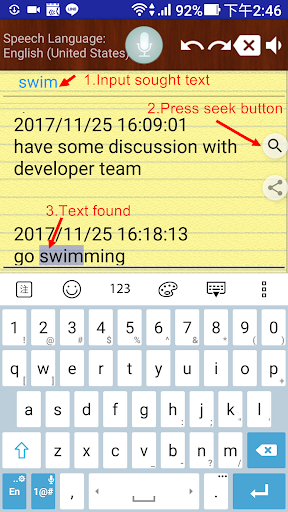
Android app profile
Voice Notes (Pro) for Android – Latest Version & Features
★★★★★
(0 ratings)
Rate this app
How do you feel about Voice Notes (Pro)?
Thanks for your feedback!
> 2.2k
Monthly Downloads
~$900
Estimated Cost
Screenshots









