
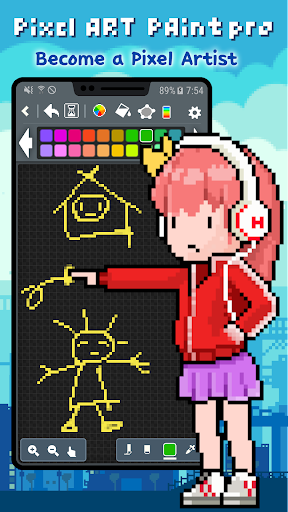
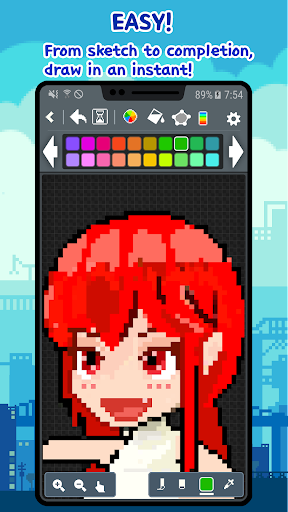
Try to become a Pixel Artist‘Pixel Art paint pro’ is a great and simple pixel editor.‘Pixel Art paint pro’ is intuitive, simple and easy to draw pixel, dot, 8bit pic sprite. Lets drawing an pixel, dot, 8bit, retro pic sprite easily and quicklyEnjoy nice time in ‘Pixel Art paint pro’ in bus, at school, in the workplace anywhere, anytime.Youll also become a pixel, dot, 8bit pic artist.Download this app now and please try to use the cool features of ‘Pixel Art paint pro’You can be easily shared with SNS services.Lets share your Pixel Art to everyone via Twitter or Instagram!You can share as possible in all apps (e-mail or other SNS).[Features] • Drawing shapes→ line, rectangle, ellipse and etc.• Undo / Redo • Save to PNG format image (Sprite)→ Storage path> PixelArtPaintPro / png• Import image from Gallery→ Bring up a photo and edit it in pixels.
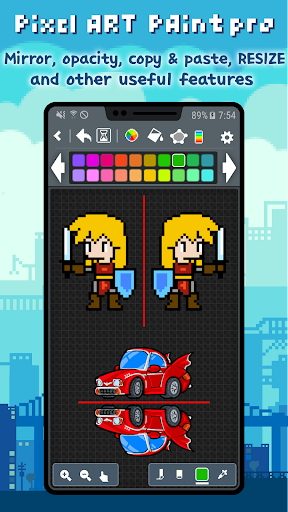
(pixel converter) • Color wheel• Edit Palette→ change a color from palette by using the eyedropper (spoide), HSV, RGB (To edit the palette color, click long the corresponding color!)• Load Palette→ load a custom palette, not only at starting a new work→ If you change the palette while drawing an 16, 256 color image, and the pixels that have already been drawn change accordingly.• Eyedropper (Spoide)• Color blending brush (Opacity)• Zoom In/Out• Preview (Mini view)• 8 ~ 600 pixel image size• Grid on/off (Grid drawing)• Mirror• Share via Twitter, Instagram, etc...• Paint Bucket (fill color)• Flip Horizontal and Vertical• Brush size• Crop• Working image will be auto-saved when you go over the background• Enable to change background color (from version 2.0.1)• Samsung Galaxy Note S-Pen[Pro-pack Features]→ Animation & Export to GIF→ Project Management (Click Long on a project folder to open the menu) (On the top screen, click Long on a image to open the menu)→ Layers : merge, move, erase→ Save Palettes→ Resize when you save PNG (Unlimited size, but maximum size depends on device memory)→ Resize image → Resize canvas → Copy and Paste→ No AD Remember~Our pixel editor will be constantly updated.We are currently working on adding ‘Layer’ functionality.We are trying to make a perfect pixel editor.Please let us know if there are additional functions or any problems.
https://andro.io/app/pro-itvd
 Power 100

Android app profile
Pixel Art paint Pro for Android – Latest Version & Features
★★★★★
(0 ratings)
Rate this app
How do you feel about Pixel Art paint Pro?
Thanks for your feedback!
> 2.2k
Monthly Downloads
~$900
Estimated Cost
Screenshots









