
- You dont need to convert video files to MP4 to play them in your mobile device.
nPlayer enable you to play almost all video formats and codecs without file converting efforts.- With your finger tip, you can adjust playback position, move to previous and next subtitle position, adjust location and font size of subtitles, control volume and brightness.* Features- Supports Device file playback and management- Supports Download- Supports officially DTS audio codec (DTS HD)- Supports Pop-up play- Supports video cast for Smart TV- Supports HDMI output- Supports video files : MP4, MOV, MKV, AVI, WMV, ASF, FLV, OGV, RMVB, TP etc.- Supports audio files : MP3, WAV, WMA, FLAC, APE etc.- Supports subtitle files : SMI, SRT, SSA, IDX, SUB, LRC, SUP, MLP2 etc.- Supports image files : JPG, PNG, BMP, GIF, TIFF etc.- Supports playlist files : CUE, M3U, PLS- Supports WebDAV, FTP, SFTP, HTTP, SMB/CIFS, UPnP/DLNA- Supports cloud service (Amazon Cloud Drive, Box, Dropbox, Google Drive, OneDrive, Yandex.Disk)- Supports multi-track audio- Supports audio boost- Supports embedded subtitles- Supports multi-track subtitles- Supports external subtitle fonts- Supports SAMI(SMI) tag- Supports SSA/ASS with full styling, embedded subtitles- To play and browse all media files on the device, you need to grant "Allow all file management" permission.“Big Buck Bunny” is licensed under the Creative Commons Attribution 3.0 license.(C) copyright 2008, Blender Foundation / https://www.bigbuckbunny.org“Elephants Dream” is licensed under the Creative Commons Attribution license.(C) copyright 2006, Blender Foundation / https://orange.blender.org
https://andro.io/app/pro-1867o
 Power 100
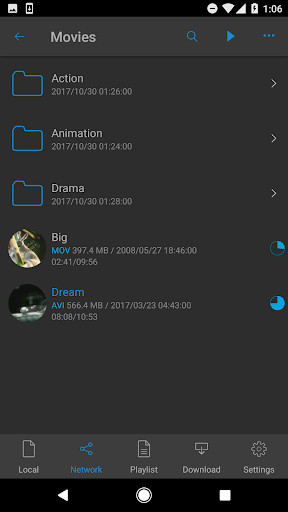
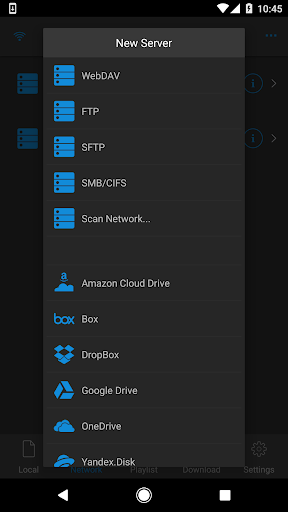

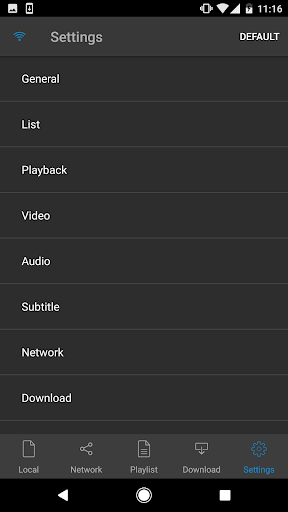
Android app profile
nPlayer for Android – Latest Version & Features
by Newin Inc.
★★★★★
(0 ratings)
Rate this app
How do you feel about nPlayer?
Thanks for your feedback!
> 2.2k
Monthly Downloads
~$900
Estimated Cost
Screenshots




