Clicker turns your phone or tablet into a remote presentation controller.We support all popular desktop operating systems and presentation software.GETTING STARTED1.
Download and run the Clicker Desktop app (https://bit.ly/clicker-desktop) on your computer.2.
Connect your computer and your phone to the same WiFi network.3.
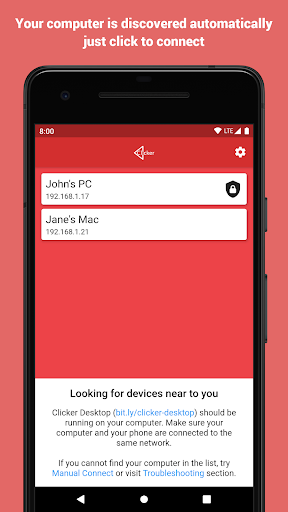
Run the app on your phone.
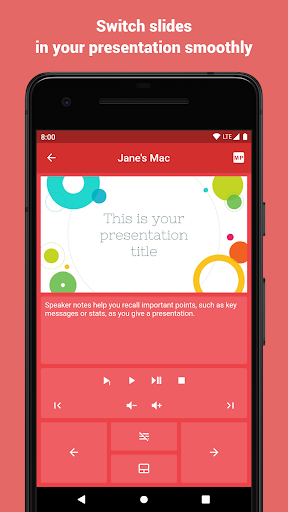
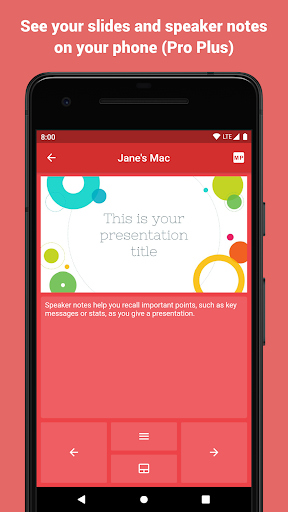
Your computer will be discovered automatically.FEATURES- automatically finds available computers in the local network- connect manually to computer in the remote network- works all popular desktop operating systems- lightweight protocol makes sure there are no lags when you click- play videos with mouse click support (remote trackpad)- point on important stuff with mouse (remote trackpad)- remote volume control (presentations with audio and video)- slides preview- speaker notes- use S Pen to control presentations (requires S Pen 2018 or newer, with bluetooth support)- and additions actions supported by the presentation software you useQUESTIONSIf you have any questions or face any issues, please feel free to write to the developer email.FEEDBACKYour feedback is what helps us improve the app with every update.
So we kindly ask you to share with us what you think about the app either here or via email.
https://andro.io/app/presentationremotecontrol-1iqyc
 Power 100

Android app profile
Clicker Presentation Control for Android – Latest Version & Features
by Viktor Kifer
★★★★★
(0 ratings)
Rate this app
How do you feel about Clicker Presentation Control?
Thanks for your feedback!
> 2.2k
Monthly Downloads
~$900
Estimated Cost
Screenshots