
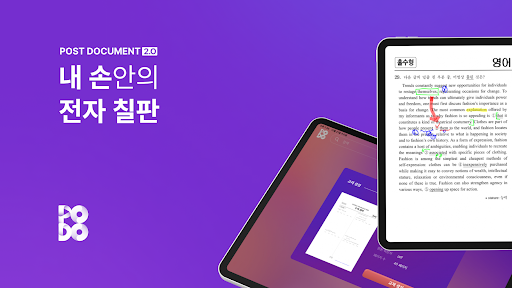
An electronic blackboard in your hand.
Open the app and take classes anytime, anywhere.
It can be used in all distance classes, face-to-face classes, or blended classes that link online and offline.
Simple yet essential annotation functions create a stronger connection between teachers and students.
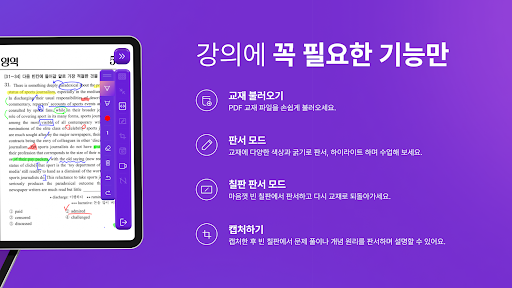
Experience flexible, sustainable classes regardless of location, such as school or classroom.- Basic features- Increase lecture efficiency by using zoom in, zoom out, capture, annotation, and highlighter highlight functions.- You can erase them individually with an eraser, or you can erase the entire writing.- Blackboard writing mode- Clicking on the blackboard writing mode creates an empty blackboard.
Feel free to write on the blank blackboard and then go back to the textbook.
Experience a class without limits by freely moving the textbook and blank blackboard.- Capture function- If you click the capture function and drag a question or passage from the textbook, the set area will be sent to an empty blackboard.
You can explain the problem by writing down the solution or concept on the blank blackboard.
https://andro.io/app/postdocument
 Power 100


Android app profile
Post Document - 전자칠판, e북, 포도 for Android – Latest Version & Features
by 에이블소프트
★★★★★
(0 ratings)
Rate this app
How do you feel about Post Document - 전자칠판, e북, 포도?
Thanks for your feedback!
> 2.2k
Monthly Downloads
~$900
Estimated Cost
Screenshots









