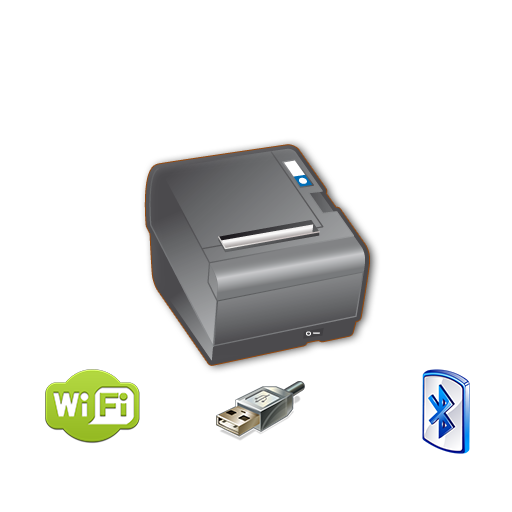

XXXXXXSource Code now avaliable , send mail to ask for it!XXXXXXYou can be printing in minutes with just a couple lines of code.
Its as simple as creating your intent, adding your ESC formatted string and start the (service) intent.
See demo in https://bitbucket.org/fidelier/posprinterdrivertest/srcNow it si possible direct logo printing on pro version, just choose a logo on config, and it will be printed on top of every document.Print From Web in an android device web.
Just make a link:a href="com.fidelier.printfromweb://$biguhw$Print From Web$intro$$small$Print small letter$intro$->$intro$->$intro$->$intro$$intro$$intro$$intro$$cut$$intro$"Test print from web/aPrint direct from Server!Read instruction in the webOpen and close a tagInclude helpers for ESC commands like Easy font size selection.$small$ For small size$smallh$ For small size with double hight$smallw$ For small size with double width$smallhw$ For small size with double hight and width$smallu$ For small size underline$smalluh$ For small size with double hight underline$smalluw$ For small size with double width underline$smalluhw$ For small size with double hight and width underline$big$ For big size$bigh$ For big size with double hight$bigw$ For big size with double width$bighw$ For big size with double hight and widthAdd u to underline$cut$ To cut the paper$drawer$ To open the first drawer Ejemplo String dataToPrint="$big$This is a printer test$intro$posprinterdriver.com$intro$$intro$$cut$$intro$"; Intent intentPrint = new Intent(); intentPrint.setAction(Intent.ACTION_SEND); intentPrint.putExtra(Intent.EXTRA_TEXT, dataToPrint); intentPrint.setType("text/plain"); this.startActivity(intentPrint);Enlace directo: String dataToPrint="$big$This is a printer test$intro$posprinterdriver.com$intro$$intro$$cut$$intro$"; Intent intentPrint = new Intent(); intentPrint.setAction(Intent.ACTION_SEND); intentPrint.putExtra(Intent.EXTRA_TEXT, dataToPrint); // Link IP:port direct intentPrint.putExtra("printer_type_id", "1");// For IP intentPrint.putExtra("printer_ip", printerIpAddress); intentPrint.putExtra("printer_port", printerPort); // Link USB:port direct intentPrint.putExtra("printer_type_id", "3");// For USB intentPrint.putExtra("printer_usb_product_id", usbProductID); intentPrint.putExtra("printer_usb_vendor_id", usbVendorId); intentPrint.putExtra("printer_usb_device_id", usbDeviceID); // Link BT:port direct intentPrint.putExtra("printer_type_id", "4");// For bluetooth intentPrint.putExtra("printer_bt_adress", BtDevice); intentPrint.setType("text/plain"); intentPrint.setType("text/plain"); Log.i(internalClassName, "sendDataToBTPrinter Start Intent"); Free version could print ads on your ticket
https://andro.io/app/posprinterdriver
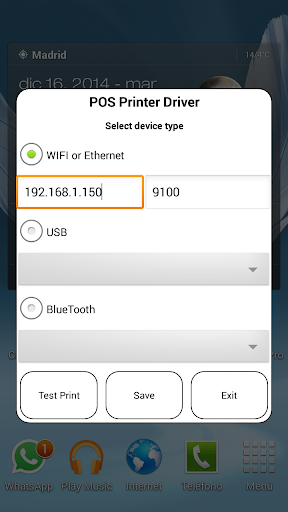
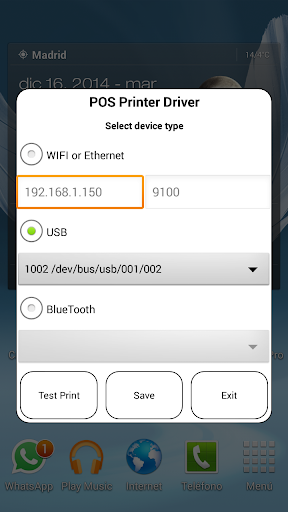
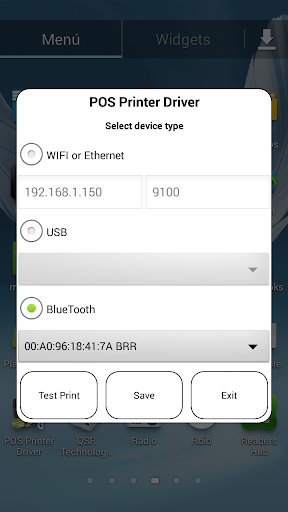

Rate this app
How do you feel about POS PRINTER DRIVER ESC/POS?
Thanks for your feedback!
> 2.2k
Monthly Downloads
~$900
Estimated Cost
Screenshots









