
With the Play Phygital app you can live a 360° Genoese experience.
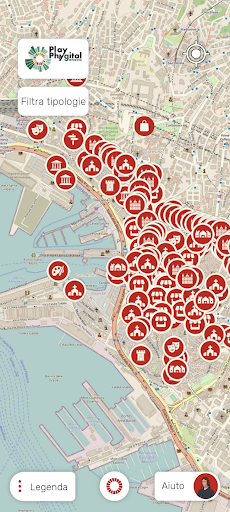
Play Phygital, in fact, allows you to visit Genoa following set or created routes by listening to the guide on the citys tourist attractions, to view attractions close to your position or filter those displayed on the map, to collect points thanks to activities and purchases carried out and to save and view your itineraries?
favorites.The app is accessible in Italian, English, French, Spanish, German and Russian.
You can set your chosen language from the “Your data” section on the homepage.
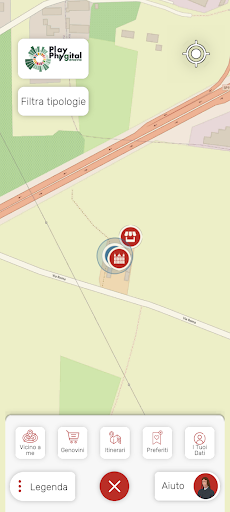
For first access and registration you must authenticate via www.visitgenoa.it.Itineraries and tourist attractionsIn the "Near me" section the app, which detects your position via GPS, displays the tourist attractions and shops around you.
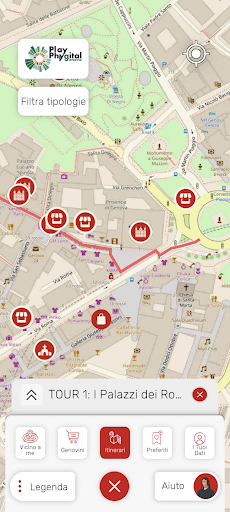
In the “Itineraries” section, you can find recommended routes and your personal itineraries.
Personal itineraries are the routes you have created using the Play Phygital web portal in the "Create your personalized itinerary" section which you can access only after logging in.
When choosing the itinerary, click on the name and the route will be displayed on the map.
When you are in Genoa, walk along the indicated streets.
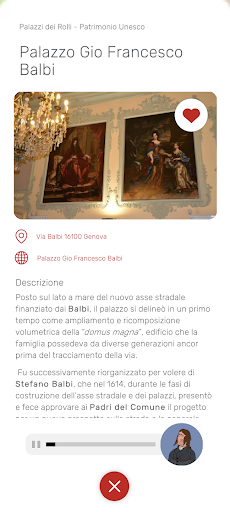
Every time you pass near an attraction among those highlighted on the map, a notification will ask you to activate the camera.
By pressing the “AR” button you can activate the multimedia elements.Accumulate the GenoviniBy purchasing in shops participating in the circuit, you will be able to accumulate points, the Genovini.
You can consult your points balance in the "Your data" section.
To be entitled to accumulate points, you will have to communicate your ID or QR Code to the shopkeeper at the time of purchase.
You can obtain the ID and QR Code using the Play Phygital web portal in the personal area which you can access only after having logged in.
https://andro.io/app/playphygital
 Power 100
Android app profile
Play Phygital for Android – Latest Version & Features
★★★★★
(0 ratings)
Rate this app
How do you feel about Play Phygital?
Thanks for your feedback!
> 2.2k
Monthly Downloads
~$900
Estimated Cost
Screenshots









