
Remote for MPC does exactly what its name implies: it lets you remote control Media Player Classic straight from your phone!
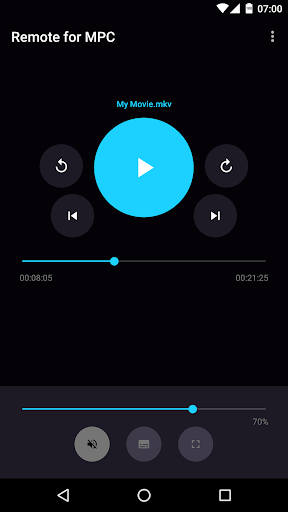
It features a very minimalistic and straightforward user interface that allows you to access the controls you use most with ease.
Features
✓ No advertising whatsoever
✓ Intuitive user interface
✓ Standard media player controls
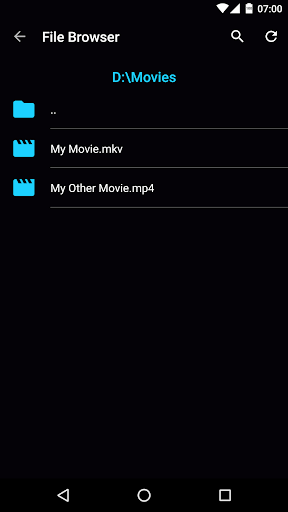
✓ File browser which enables you to search for and play files on the computer running MPC
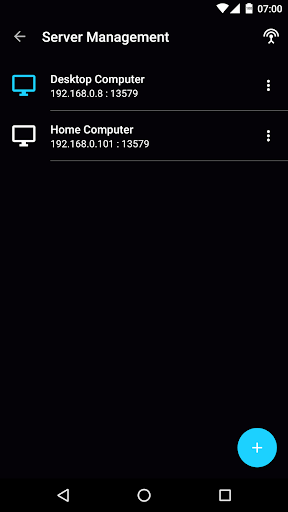
✓ Automatically find computers running MPC
✓ Notification controls
✓ Keep screen on
✓ Pause or mute automatically when receiving callsInstructions for connecting to MPCMake sure that your phone and computer are on the same network!Media Player Classic:• Go to View -> Options -> Player -> Web Interface• Select "Listen on port" and press "OK"• Make sure that "Allow access from localhost only" is unchecked!In App:• Go to Server Management• If a computer is automatically found click on the three dot menu and press "Connect", otherwise add one manuallyPlease note that Remote for MPC is an unofficial app.
https://andro.io/app/playerremote
 Power 100

Android app profile
Remote for MPC for Android – Latest Version & Features
★★★★★
(0 ratings)
Rate this app
How do you feel about Remote for MPC?
Thanks for your feedback!
> 2.2k
Monthly Downloads
~$900
Estimated Cost
Screenshots









