
Incoming Call Pin Locker protects your Incoming call to be picked by some one else.This Application will not allow others to see the caller name, number or any other details.
The password screen popups on Incoming Calls to hide all information about the caller.
You can protect your incoming calls by using either pattern lock or pincode security.
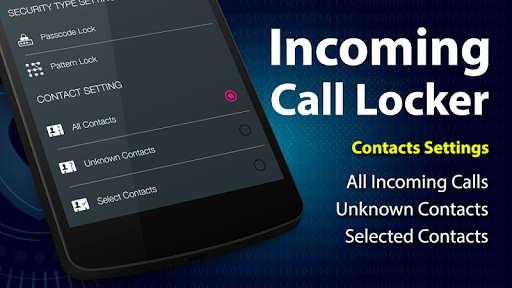
This app also allows the user to protect All incoming calls, Unknown contacts or for selected contacts only.
Using this app will secure your incoming calls by Selecting the Password Lock or Pattern Lock.
Features:* Enable/Disable Call Lock Option* Place a call lock on either all of your contacts or just specific ones or all unknown contacts.* Security : Contains both Pattern lock and Pincode.
* You can Easily Change Password* User FriendlyHow To Use :* First of all set your pattern or passcode to secure your incoming calls.* Then Enable lock switch button.* Then check one of the radio buttons to enable lock on all contacts, unknown contacts or selected contacts.How To Uninstall App :Go to Setting -> Security -> Device Administration -> and Uncheck the Incoming Call Locker -> Select Deactivate...
and then Uninstall the Incoming Call Locker application.
https://andro.io/app/pincode-16qs8
 Power 100


Android app profile
Incoming Call Pin Locker for Android – Latest Version & Features
★★★★★
(0 ratings)
Rate this app
How do you feel about Incoming Call Pin Locker?
Thanks for your feedback!
> 2.2k
Monthly Downloads
~$900
Estimated Cost
Screenshots









