

PICT VIEWER for WEAR is an app for viewing images transferred from a mobilephone in WEAR(smartwatch).
You can start and stop the slideshow by simply tapping the WEAR screen.
This app consists of an image viewing screen and a settings screen.
The settings screen is displayed with a long tap when the slideshow is stopped.
On the image viewing screen, tap the screen to hide the clock, start a slideshow, or stop a slideshow.
During the slideshow, the display is always on.
In addition, time display (analog, digital) and hidden selection are possible for each image.
you can create and select folders to store images.
The following functions are performed from the paired mobilephone.
1.
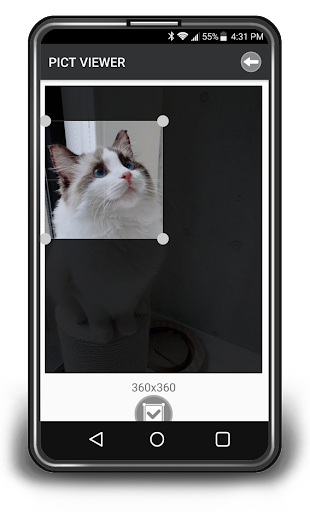
Picture cropping 2.
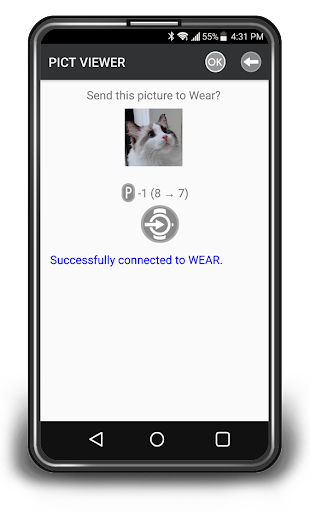
Transfer picture files(jpg) 3.
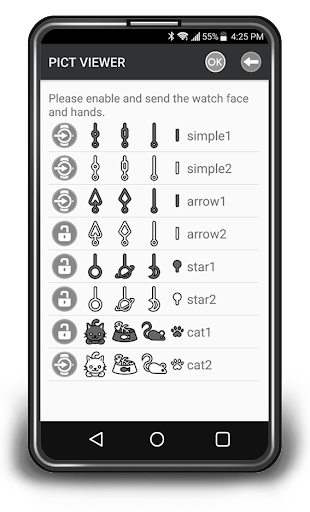
Transfer watch face and hands 4.
Change password (initial password 1111) and add unlock key For the above 2 and 3, only the setting screen will be in the waiting state for file transfer from the mobilephone to WEAR (smartwatch).
For 4, it will be in the waiting state of the setting transfer from the mobilephone to WEAR (smartwatch) in the setting screen and lock screen.
In the settings screen, the following settings are possible.
1.
Add picture folder 2.
Change picture folder 3.
Delete picture folder 4.
Search, delete and change the order of picture in the picture folder 5.
Change the slide show wait time 6.
Setting watch face and hands 7.
Lock function ON/OFF Please change easy-to-use setting and use it.
If the lock function is ON, when you press the home button or or swipe right to exit the app, you will need to enter password when you start the app after the lock setting wait time has elapsed.
https://andro.io/app/pictviewerforwear

Rate this app
How do you feel about PICT VIEWER for WEAR?
Thanks for your feedback!
> 2.2k
Monthly Downloads
~$900
Estimated Cost
Screenshots









