
PDF Reader - Your Ultimate Document SolutionTired of switching between multiple apps to manage your documents?
Introducing PDF Reader, the all-in-one solution that makes document management a breeze.
With a wide range of features and support for various file formats, PDF Reader has everything you need to handle your PDFs and more.
📚
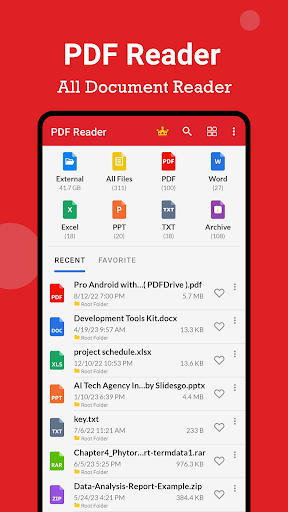
📕 PDF Viewing:- Seamlessly open and view PDF files with ease.- Search, scroll, and zoom in and out of PDF documents effortlessly.-
🖨️ Print,
✉️ share, and
📱 preview PDF files directly from the app.- Enjoy a book-like reading experience for your PDFs.
📚
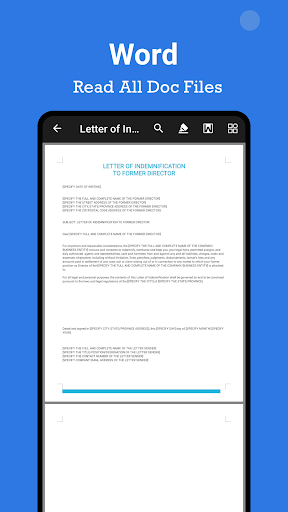
📘 Word Reader:- Open and read Word documents (DOC, DOCX) with a simple and elegant interface.- Easily navigate and search for specific content within your Word files.
🔎
📗 Excel Reader:- View and explore Excel spreadsheets (XLS, XLSX) with ease.- Access and analyze your data with high-quality viewing.
📊
📙 PPT Reader:- Open and view PowerPoint presentations (PPT, PPTX) with high resolution and fast performance.- Delve into your slideshows effortlessly.
🎉
📓 TXT Reader:- Read plain text files (TXT) conveniently within the app.- Access and view your text-based content seamlessly.
📝
📂 File Management:- Easily manage your documents and files with a built-in file manager.- Create, rename, and delete folders for better organization.
📁
🖍️ PDF Creation and Editing:- Create PDF files from various document formats, including Word, Excel, and PowerPoint.- Edit PDF files by adding, modifying, or deleting text and images.- Enhance your PDFs with annotations, highlighting, and drawing tools.
✍️
🖊️ Electronic Signatures:- Sign documents electronically without the need for printing or scanning.- Add your signature or initials to PDF files securely.
🖋️
💧 Watermarking:- Protect your PDFs by adding watermarks, such as text or images.- Customize the position, opacity, and appearance of the watermarks.
🌄 PDF to Image Conversion:- Convert PDF pages to high-quality images, such as JPEG or PNG.- Extract images from PDF files for easy sharing or use in other applications.
🔒 Security and Privacy:- Rest assured that your files are secure and protected.
🔐- Maintain the confidentiality of your sensitive documents.
🤫⭐️ Why Choose PDF Reader?- Simplify your document management with one powerful app.
🚀- Enjoy a user-friendly interface for seamless navigation.
🌟- Access a wide range of file formats, including PDF, Word, Excel, PowerPoint, TXT, and more.- Improve productivity with efficient document handling and advanced editing features.
💪Dont let document management be a hassle any longer.
Experience the convenience and versatility of PDF Reader today.
🔥
🔥
🔥 We are continuously working to enhance PDF Reader and welcome your valuable feedback.
If you have any questions or suggestions, please feel free to reach out to our support team at [email protected].
📧Thank you for choosing PDF Reader.
Have a fantastic day!
❤️
https://andro.io/app/pdfviewer-r8os
 Power 100


Android app profile
PDF Reader - Edit PDF for Android – Latest Version & Features
★★★★★
(0 ratings)
Rate this app
How do you feel about PDF Reader - Edit PDF?
Thanks for your feedback!
> 2.2k
Monthly Downloads
~$900
Estimated Cost
Screenshots









