
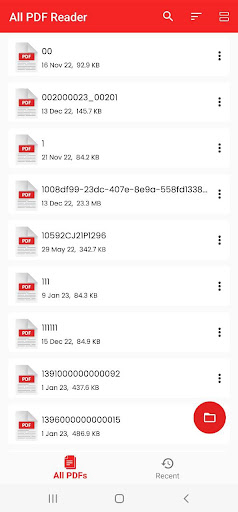
PDF Reader - PDF Viewer can easily read, view, sign, convert, scan, and manage all of your PDF files.This professional documents reading app can auto search and display all your PDF files, allowing you to fast open and read PDFs on your device.
More than a PDF viewer, it’s also a PDF editor and PDF manager, you can take notes, merge & split PDF files, set passwords to protect files, add bookmarks, etc.
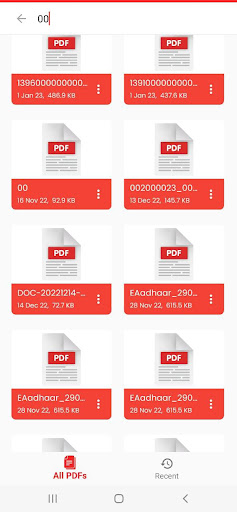
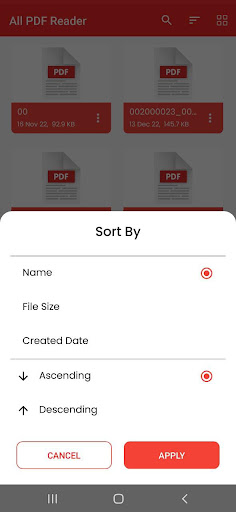
It’s also very convenient to share PDF documents with others.Other than that, merge, take notes, split, bookmark, and so on are all supported.The PDF Reader - PDF Viewer apps intelligent features will help you maximize your productivity at work and in life. PDF reader - PDF viewer Key Features: Quickly open and view PDF documents. A simple list of PDF files. Support List and Grid View Dark mode Go to pageKey Features of PDF Reader: PDF Viewer : Automatically search and display PDF files: Find and display PDF files on your device. Recent - It contains all the PDF docs you have opened, sorted by the last time you opened it, and you can easily view the PDF files you have recently viewed without having to spend time searching for them. Favorite - It contains all your Favorite PDFs.
You can easily view theses files. Search - If there are many documents on your device, the "Search" function will make your search easier. Delete/Rename - You can rename, delete files, and view details of your PDF files easily with simple operations. Share - If you view a PDF file or want to share it, it is a great feature that will help you broadcast to your friends.
View mode - Horizontal/vertical scrolling mode.
With 2 reading modes, PdF Reader - PDF Viewer provides the most complete experience. Zoom in and out according to your taste Go to page - directs you to the desired page.
https://andro.io/app/pdfreader-ixb8
 Power 100

Android app profile
PDF Reader - PDF Viewer for Android – Latest Version & Features
by Pdf Reader BlueSwan - Trusted Apps
★★★★★
(0 ratings)
Rate this app
How do you feel about PDF Reader - PDF Viewer?
Thanks for your feedback!
> 2.2k
Monthly Downloads
~$900
Estimated Cost
Screenshots









