
House automation for everyone.
This is e.g.
with a Raspberry Pi and PCT-Pi-Remote.
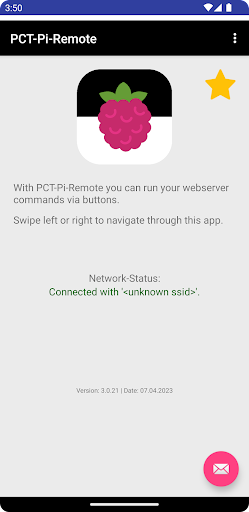
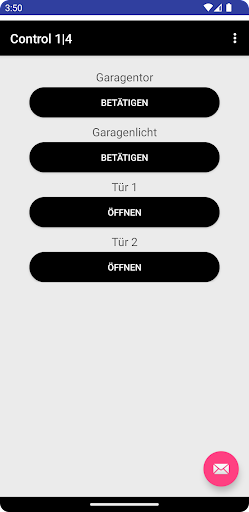
With PCT-Pi-Remote, you can call up your webserver commands via buttons.
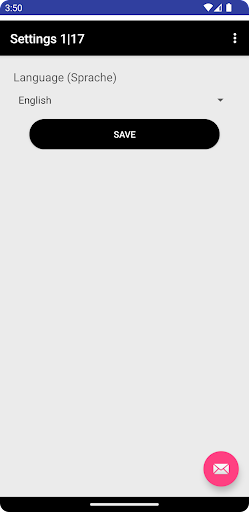
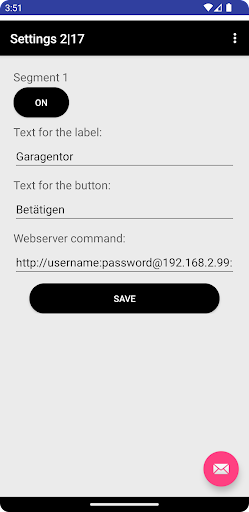
You are completely free, whether you use your own webserver, avoid a third-party provider or use our PCT-Pi-Remote - Webserver.Whether the webserver is now running on a Raspberry Pi and you control its GPIOs or you want to control an Androino or a third product, everything is possible.Features:-There are 2 pages with 4 configurable segments each.-A segment consists of a header for the button and a text for the button itself.-Each segment can be activated and deactivated.-For each segment, you can create your own webserver command.-An example of a webserver command with authentication is already stored as a default value in each segment.Examples of a webserver command for the PCT-Pi-Remote - Webserver:With authentication:http://username:password@IP-Adresse oder DNS-Name:Port/Befehlhttp://MyUserName:[email protected]:18181/pi/GPIO_23?Without authentication:http://IP-Adresse oder DNS-Name:Port/Befehlhttp://192.168.2.99:18181/pi/GPIO_23?Depending on which webserver you are using, the commands look different.You can download the PCT-Pi-Remote - Webserver on our website:https://www.pct-software.de/index.php/apps/pct-pi-remoteWe hope you enjoy this app!
As always, you can send improvement suggestions to us.
of course, this also applies to questions or problems.
https://andro.io/app/pct-pi-remote
 Power 100
Android app profile
PCT-Pi-Remote for Android – Latest Version & Features
by PCT-Software
★★★★★
(0 ratings)
Rate this app
How do you feel about PCT-Pi-Remote?
Thanks for your feedback!
> 2.2k
Monthly Downloads
~$900
Estimated Cost
Screenshots




