
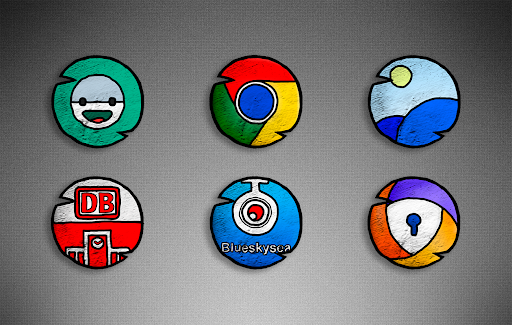
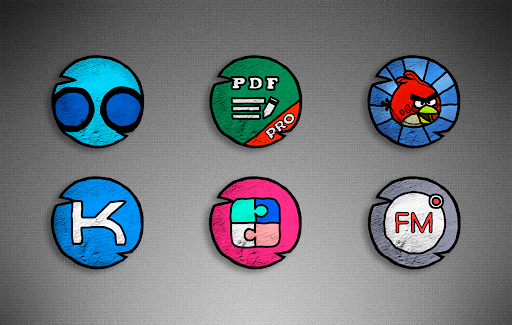
A cool set of icons in high resolution.
For real connoisseurs of icons with an unusual design.For this set of icons to work, you need a special launcher application(lawnchair, abc, holo, nova, etc.).)Features of PapUpA icon pack:• Resolution of 350x350px icons (HD)* Cloud cool Wallpapers* Support for dynamic calendars• Support for most popular launchers• Possibility of free and paid icon requestsSupported launchers: ABC Launcher •Action Launcher • ADW Launcher • Apex Launcher •Atom Launcher • Aviate Launcher • Blackberry Launcher • CM Theme Engine • Evie Launcher • Flick Launcher • GO Launcher • Holo Launcher • Holo Launcher HD • Lawnchair Launcher • LG Home • Lucid Launcher • M Launcher • Microsoft Launcher • Mini Launcher • Next Launcher • Nougat Launcher • Nova Launcher • Pixel Launcher • Poco Launcher • Posidon Launcher • Smart Launcher • Solo Launcher •V Launcher • ZenUI Launcher • Zero Launcher To apply this icon set:* Open the PapUpA icon pack app* Go to the "Apply PapUpA icon pack" screen»• Next, you will see a list of supported launchers, such as nova launcher, Poco Launcher, Apex Launcher, and so on.
Select the desired launcher that is installed on your phone.
A set of icons will be applied!If suddenly your launcher is not in the list, you need to try on a set of icons from the settings of the launcher itself.If you have any problems or have questions or suggestions, please write to [email protected]
https://andro.io/app/papupa
 Power 100


Android app profile
PapUpa icon pack for Android – Latest Version & Features
by Volokitta
★★★★★
(0 ratings)
Rate this app
How do you feel about PapUpa icon pack?
Thanks for your feedback!
> 2.2k
Monthly Downloads
~$900
Estimated Cost
Screenshots









