
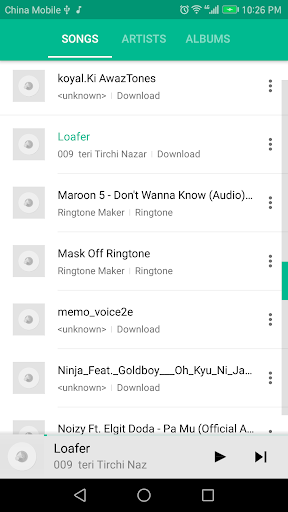
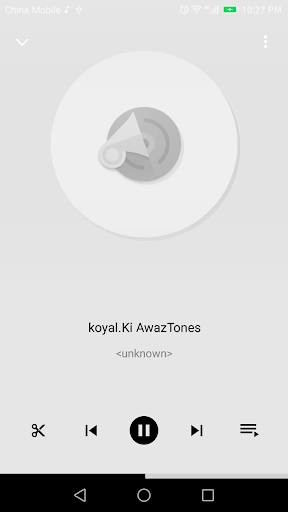
Panda Music Player is a grace music player which following the google material design.
It is also a free app creates ringtone, alarms, and notifications from FLAC, MP3, WAV,AAC/MP4, 3GPP/AMR, OGG files.
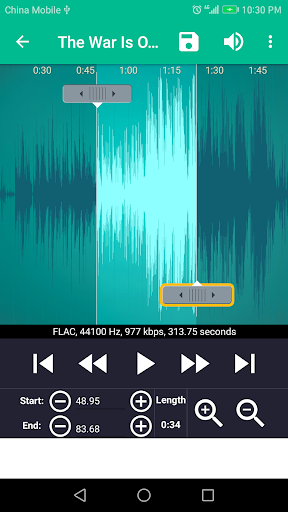
You can set the start and ending points by sliding arrows along the timeline, by pressing Start and End to record the point, or by typing in time stamps.With advanced features like fading in/out for MP3, adjusting volume.
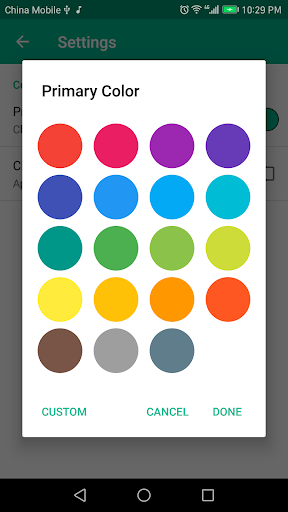
You can even also copy, cut and paste.Features:Material designBrowse Songs, Albums, ArtistsCreate and edit playlistsHomescreen widgetsBrowse device foldersDark theme and UI customisabilityCopy, cut and paste.Fade in/out for mp3.Adjust volume for mp3.Preview the Ringtone files and assign to contact.View a scrollable waveform representation of the audio file at 6 zoom levels.Set starting and ending points for a clip within the audio file, using an optional touch interface.Play the selected portion of the audio, including an indicator cursor and auto scrolling of the waveform.Play anywhere else by tapping the screen.Save the clipped audio as a new audio file and mark it as Music, Ringtone, Alarm, or Notification.Delete audio (with confirmation alert).Assign a Ringtone directly to a contact, you can also re-assign or delete the Ringtone from contact.Sort by Tracks, Albums, Artists.Manage contact Ringtone.File formatsSupported file formats right now include:FLACMP3AAC/MP4 (including unprotected iTunes music)WAV3GPP/AMR (this is the format used when you record sounds directly on the handset)OGGTips:Tap anywhere on the waveform to start playing at that position.While playing, tap the word Start or End to quickly set the start and end markers to the current playback time.Use the jog wheel for more precise adjustments.Press copy menu while editing files, then you can paste it to current file, or any other files of same type.Music in clipboard will be paste to adjacency of end markers.If bitrate is not match, you can also paste together, but the new waveform looks weird.
That’s doesn’t affect the sound quality of new music file.Ringtone save path:Ringtone: sdcard/ringtonesNotification: sdcard/notificationsAlarm: sdcard/alarmsMusic: sdcard/musicFrequently Asked Questions:http://ringtone-maker.appspot.com/FAQ.htmlRingdroid and RingsExtended source code:http://code.google.com/p/ringdroid/http://code.google.com/p/apps-for-android/Apache License, Version 2.0http://www.apache.org/licenses/LICENSE-2.0.htmlhttps://github.com/hefuyicoder/ListenerMusicPlayerMIT License
https://andro.io/app/pandamusicplayer
 Power 100
Android app profile
Panda Music Player for Android – Latest Version & Features
★★★★★
(0 ratings)
Rate this app
How do you feel about Panda Music Player?
Thanks for your feedback!
> 2.2k
Monthly Downloads
~$900
Estimated Cost
Screenshots









