https://andro.io/app/pack-le89
 Power 100
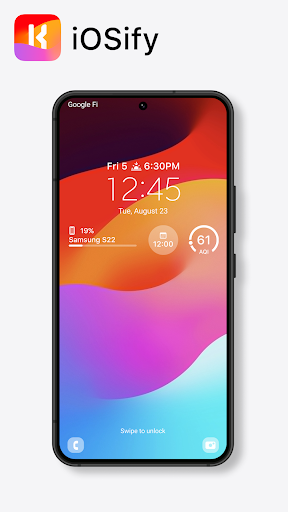
⚠️ This app requires KWGT Pro & Lockscreen Widgets
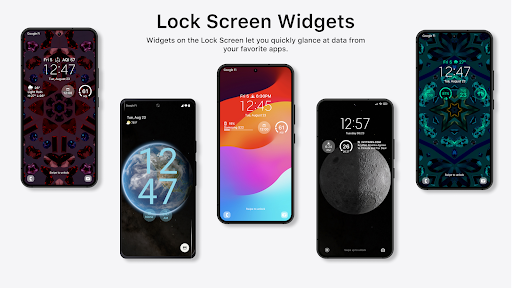
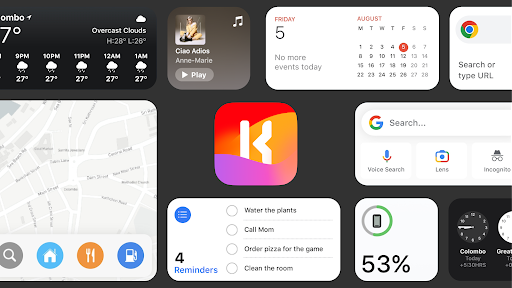
⚠️ iOS 16 Widgets for KWGTPRE-REQUIREMENTS: - KWGT: https://play.google.com/store/apps/details?id=org.kustom.widget&hl=es&gl=US - KWGT Pro Key: https://play.google.com/store/apps/details?id=org.kustom.widget.pro&hl=es&gl=US - Lockscreen Widgets: https://play.google.com/store/apps/details?id=tk.zwander.lockscreenwidgets INSTALLATION: Home Screen Widgets: - Install KWGT & KWGT Pro, and iOSify - Add a Kustom widget to your home screen and tap on it - Goto to the Explore tab and go to Bing Pix from there.
- Select the widget you desire- Tap the
💾 button on the top-right corner - Enjoy
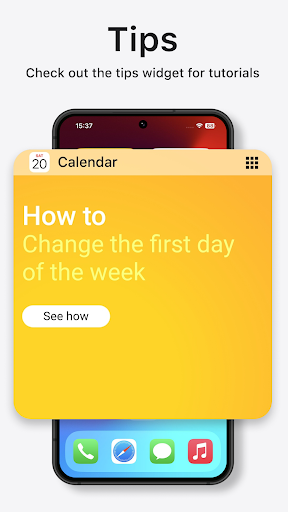
😃 **Tips Widget contains tutorials on how to add widgets to your lock screen and much more.
CONTENTS: - 75 Home Screen Widgets - 74 Widgets Disclaimer: I do not own any of the trademarks named in this app.
The wallpapers on the screenshots are from www.iclarified.com and www.guidingtech.com.
Samsung S22 Mockup is by BRIX Templates, https://www.figma.com/community/file/1128677549740142497, Licensed under CC BY 4.0.
Pixel 6 Pro Mockup is by Ashish, https://www.figma.com/community/file/1005058345208542146, Licensed under CC BY 4.0.
iOS 17 icon is by Adi Chakravarty, https://www.figma.com/community/file/1253436284170910973/ios-17-widgets, Licensed under CC BY 4.0.
Android app profile
iOSify - iOS Widgets for KWGT for Android – Latest Version & Features
by Gamitha Sam
★★★★★
(0 ratings)

Rate this app
How do you feel about iOSify - iOS Widgets for KWGT?
Thanks for your feedback!
> 2.2k
Monthly Downloads
~$900
Estimated Cost
Screenshots
About iOSify - iOS Widgets for KWGT
⚠️ This app requires KWGT Pro & Lockscreen Widgets
⚠️ iOS 16 Widgets for KWGTPRE-REQUIREMENTS: - KWGT: https://play.google.com/store/apps/details?id=org.kustom.widget&hl=es&gl=US - KWGT Pro Key: https://play.google.com/store/apps/details?id=org.kustom.widget.pro&hl=es&gl=US - Lockscreen Widgets: https://play.google.com/store/apps/details?id=tk.zwander.lockscreenwidgets INSTALLATION: Home Screen Widgets: - Install KWGT & KWGT Pro, and iOSify - Add a Kustom widget to your home screen and tap on it - Goto to the Explore tab and go to Bing Pix from there.
- Select the widget you desire- Tap the
💾 button on the top-right corner - Enjoy
😃 **Tips Widget contains tutorials on how to add widgets to your lock screen and much more.
CONTENTS: - 75 Home Screen Widgets - 74 Widgets Disclaimer: I do not own any of the trademarks named in this app.
The wallpapers on the screenshots are from www.iclarified.com and www.guidingtech.com.
Samsung S22 Mockup is by BRIX Templates, https://www.figma.com/community/file/1128677549740142497, Licensed under CC BY 4.0.
Pixel 6 Pro Mockup is by Ashish, https://www.figma.com/community/file/1005058345208542146, Licensed under CC BY 4.0.
iOS 17 icon is by Adi Chakravarty, https://www.figma.com/community/file/1253436284170910973/ios-17-widgets, Licensed under CC BY 4.0.









