
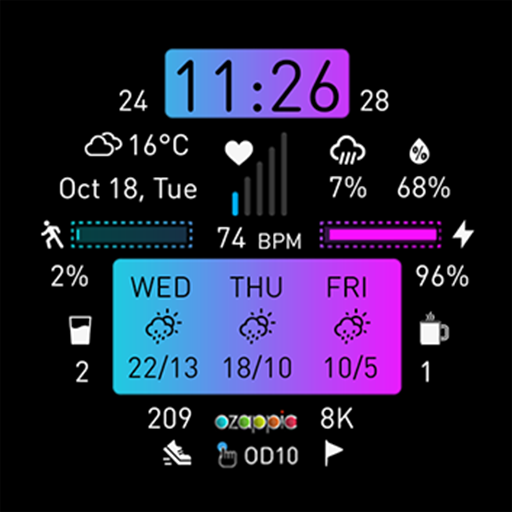
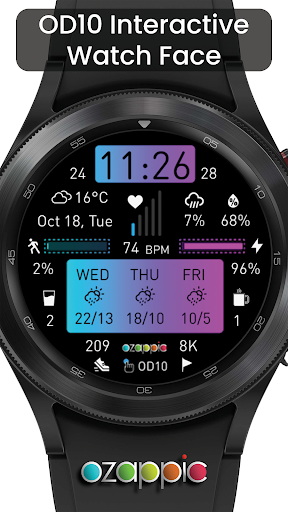
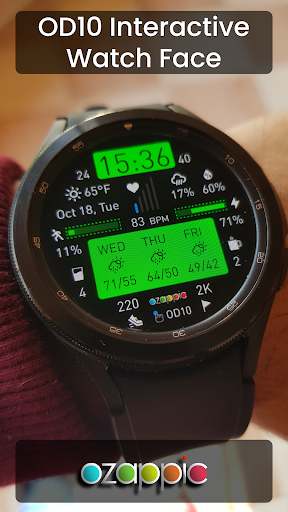
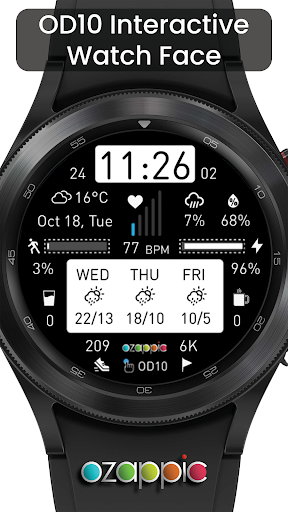
OD10 Interactive is a unique, informative, and colorful watch face full of data.Features1.
Digital Design2.
Current Weather Temperature.3.
Current Rain Precipitation & Humidity.4.
3-Day Forecast5.
Heart Rate BPM6.
Date7.
Step Count & Percentage, and Goal8.
Battery Value9.
Daily Water Count10.
Daily Coffee Count11.
Guide Screen including Shortcuts.By using shortcut buttons;* Change time format.* Select C or F as temperature unit.* Update weather manually.* Change water count.* Change coffee count.* Change text color.* Change icon color.* Change color of time and forecast data panels.* Change step goal.* Show/hide guide screen.Save your energy with the perfect battery friendly AOD display design.Important-Heart Rate BPM Value Display DelayHeart rate acquisition from the sensor is restarted at the start of "each" screen opening.
Data reception is turned off when the screen is turned off to conserve battery consumption.
Therefore, the update of the heart rate bpm value may be delayed for a few second due to this restart when the screen is turned on.Important for Weather UpdateWhen there is no error in receiving current weather data, the data is displayed on the screen.When an error occurs, the icons indicate the current problem.In case of error, check the watchs connection to the phone and/or the watchs own bluetooth and internet connections.When the watch is turned on for the first time or the application is loaded for the first time, the arrival of the location data may be delayed for a short time.Weather Data is updated every hour.
It can also be updated manually.
You can find the details in the Guide Screen.Tested on:1.
Huawei Watch 2 (Android 8.0.0, Wear OS 2.27, 390*390 resolution)2.
Fossil Gen 4 (Android H, Wear OS 2.29, 454*454 resolution)3.
Samsung Galaxy Watch 4 (Android 11, Wear OS 3.5, 454*454 resolution)4.
Android Studio Emulators (Android 7 - 8 - H - 11/Preview, 320*320 - 390*390 - 454*454 resolutions)It requests Body Sensors and Internet permissions to show heart rate and weather data.ozappic is working on producing phone-independent and easy-to-use watch faces with ODx SeriesFor your feedback, please contact: [email protected] ozappic Watch Faces Android Phone app to see all watch faces in a single app and instantly informed about new designs and updates:ozappic Watch Faces appVisit website:www.ozappic.comFollow social media accounts for future works:Facebook Page:www.facebook.com/ozappicInstagram Account:www.instagram.com/ozappic.androidTelegram Channel:https://t.me/androidwatchfaces
https://andro.io/app/od10
 Power 100

Android app profile
OD10 Interactive Watch Face for Android – Latest Version & Features
by ozappic
★★★★★
(0 ratings)
Rate this app
How do you feel about OD10 Interactive Watch Face?
Thanks for your feedback!
> 2.2k
Monthly Downloads
~$900
Estimated Cost
Screenshots









