
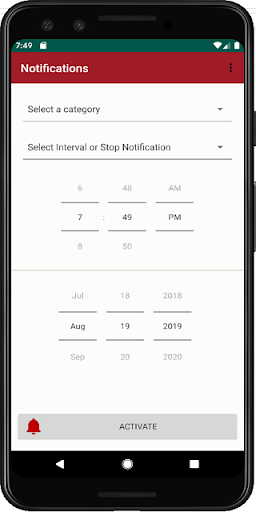
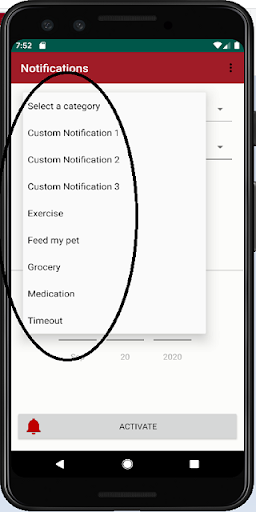
Set yourself reminders of what needs to be done with this Notifications app.Select a category (read about categories in the Category menu item), an interval (how often you want a notification), a start date and start time.To create a Notification:1.
Select a Category2.
Select the desired Interval time (frequency)3.
Select a Start Date (default is current date)4.
Select a Start Time (default is current time)5.
Press Activate.You can customise your own Notification message.
Select Custom Notification (1, 2 or 3) and enter your custom message at the space at the bottom of the screen.
Then select Activate.Each notification will start at the specified time and date and it will repeat itself as you selected in the Interval.To stop a Notification1.
Select the category to stop the notification for2.
In the Interval drop-list, select Stop this Notification3.
Press ACTIVATENotifications will stop for the selected Category only.We hope that you do enjoy this app.
https://andro.io/app/notification-198mo
 Power 100


Android app profile
Notifications for Android – Latest Version & Features
★★★★★
(0 ratings)
Rate this app
How do you feel about Notifications?
Thanks for your feedback!
> 2.2k
Monthly Downloads
~$900
Estimated Cost
Screenshots









