
This is a free app with no adverts..
Some features, like multiple room profiles you have to pay for.MyAV is a universal remote control app that can control lots of different types of AV equipment at the same time No programming required, no set-up codes, no fuss.
Download, connect and control.
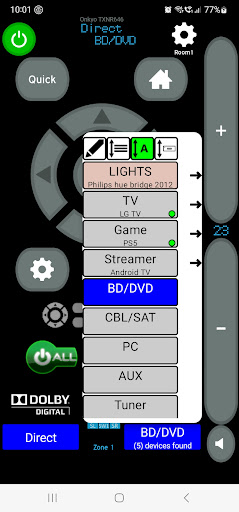
IP/Wi-Fi Control for: A/V ReceiversSoundbarsBlu-Ray PlayersSmart TelevisionsSet-Top BoxesMedia StreamersGame ConsolesProjectorsLighting systemsBrands that MyAV works with: Apple TV (Gen2/3) (4k Gen1-3 tvOS16)Amazon FireTVAndroid TVOnkyoSFRYamahaDenonMarantzLGArcamHisenseAnthemOppoRokuNowTVXBMCPhilipsPanasonicPlayStationPioneerSonySharpSamsungPanasonic DreamboxSkyQDirectTVDish TVXbox OnePS4/PS5Xfinity X1 (Manual add)Virgin MediaVizio (2016+)WDTVHumax Please visit our website to see a full current compatibility list:https://www.myav.co.uk/compatibility.aspFeatures include:-Controls a suite of devices all in one app, no changing between different apps-Automatically finds and connects to most compatible devices-Default can be set to connect to just one type of device, if you have more than one type of device (e.g.
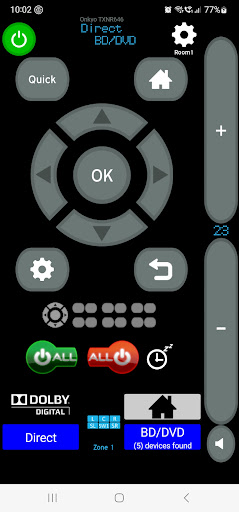
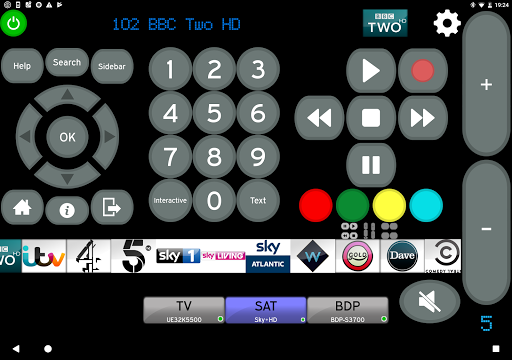
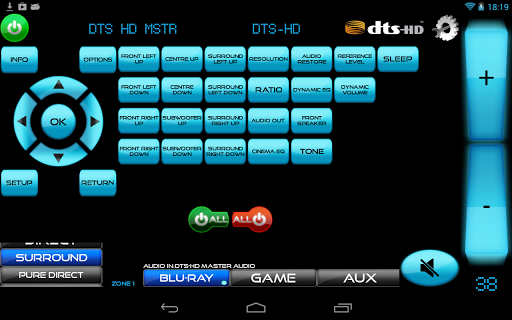
2 different smart TVs in the house)-IR Control via Broadlink/Orvibo/Keene Kira/Global Cache IR blasters ---AV Receivers-One main volume control for your receiver that is always on hand (can use hard buttons on some android devices).-Real-time feedback from some supported devices, including current volume, input, channel, sound mode, power status, video & audio information.-Home cinema receiver input buttons can easily be accessed -Zone controls for AV Receivers - MyAV DLNA Browser V0.9 with settings for default server/folder-"All power on" & "All power off" macros-Re-assign devices to different inputs (MyAV automatically assigns your TV or Blu-Ray player to a given input, but this can be changed)-Smart TVs and Set-Top boxes-UK/US/DE/FR channel logos with quick jump buttons.-Delete unwanted channels quickly and easily-Channel filters to easily find the desired channel-Hold down, then drag and drop your favourite channels into a favourites folder.Your devices must be connected to the same router/hub as your Android tablet/phone via for this app to work.
You need to have a good Wi-Fi signal and multicasting/uPnP must also be enabled on your router/network.
Please make sure all your devices have the latest firmware.If you have any issues with connectivity or functionality, please do email us first before rating: we will respond.
We are constantly updating this app.We aim for this app to be a universal remote for all devices.
https://andro.io/app/myav-trial

Android app profile
MyAV Universal Remote Control for Android – Latest Version & Features
by Pocketwood
Power 100
Rate this app
How do you feel about MyAV Universal Remote Control?
Thanks for your feedback!
> 2.2k
Monthly Downloads
~$900
Estimated Cost
Screenshots




