
Do you have an extra android device lying around that you want to put to good use?
Do you like music?
Do you wish for a way to better control the music you have at home?
If you answered yes to any of these questions, then you are probably looking for an app that can do all these things.
Unfortunately, most music apps out there focus on having you control the music through manual interaction with the device.
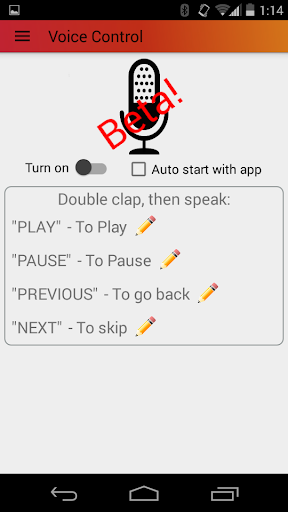
MusicPad is different in that the controls are available through alternative methods described below.The first feature is voice control.
Using androids native voice recognition, you will be able to speak "play music" or "stop music" and have it automatically happen.
Yeah, just like in all the sci-fi movies youve seen!
Secondly, you will be able to control the music from another android device in another part of the house or even on the web from your laptop.
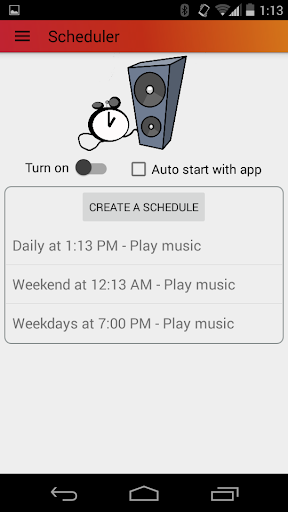
Lastly, you can schedule music to be played and stopped at particular times of the day on any day of the week.Full list of features:-Voice Control-Web control interface-Control from other android devices-Album/Artist/Folder views-Headset controls-Home screen widget-Lock screen widget-Notification control widget
https://andro.io/app/musicpad-1sspz



Android app profile
MusicPad -voice/remote control for Android – Latest Version & Features
by rivi.us
Power 100
Rate this app
How do you feel about MusicPad -voice/remote control?
Thanks for your feedback!
> 2.2k
Monthly Downloads
~$900
Estimated Cost
Screenshots




