
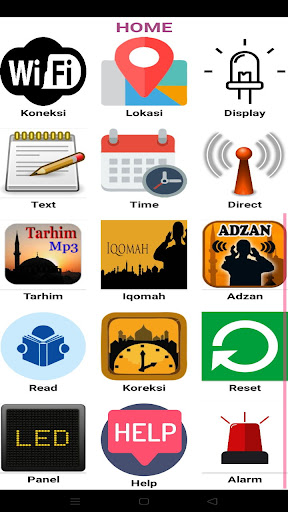
Various sizes and colors are availableand can be set via wifi android.msb jws display feature.1.
Displays the current time and the time of imsak, dawn, syuruq, dhuha, dhuhur, asr, maghrib, isya.2.
Automatic prayer times and schedules based on time and location3.
Multisize 1 to 20 panels P10 1 row x 1 to 2 rows x 10 panels (or from 36x20cm to 324x36cm) and can be used for LCD displays 16x2 and P5 rgb.4.
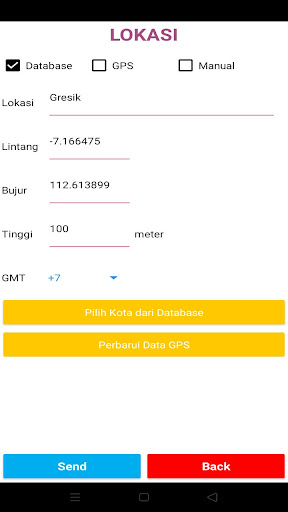
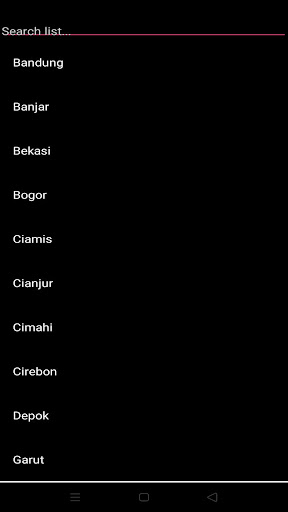
select a location via the location city provided, there are 400 cities throughout Indonesia.5.
select the location via automatic gps data where the application is located.
(location menu)6.
select the location via input coordinate data manually.7.
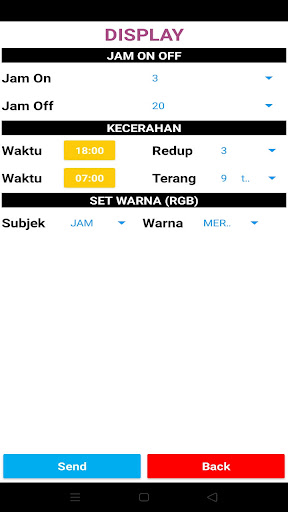
scheduled setting the display will be dim and when it will be bright.(display menu)8.
added running text as additional information.
info on the name of the mosque, info on Friday, info on small text, text at iqomah, info on 9 texts (maximum 500 letters each)9.
displays/displays hours and minutes in Arabic (text menu).10.
Displays/displays the Javanese market (text menu).11.
Synchronize time according to cellphone time (menu time)12.
set hour minute / month year date manually13.
set at that time or a certain hour to synchronize with the NTP internet clock so that the time is always realtime.(menu time)14.
The devices wifi name and password can be changed so that display security is better.
(direct menu)15.
set before the prayer time arrives to play certain mp3 files, for example tarhim/mp3 of letters in the Quran according to the mp3 file on the sdcard along with the set with the length of time the file was played (in seconds)(tarhim menu)16.
set the volume of the sound mp3 / play stop mp3 files17.
Set the iqomah countdown timer, set the minutes to display blank after iqomah, the start time of the iqomah timer can be automatic/manual using an external button18.
set the midnight time alarm on/off (iqomah menu)19.
When the prayer time arrives, you can choose whether the mp3 adhan will sound / beep / not sound, if you select the call to prayer, you can choose the mp3 call to prayer options along with the duration of the call to prayer in seconds (call to prayer menu)20.
Read the pre-existing settings on the device via the application (read menu)21.
If there is a difference in schedule time, it can be set +/- 9 minutes (correction menu).22.
If there is a difference in Hijri time, it can be set +/- 9 days23.
7 mp3 alarm features, set when to play an mp3 file24.
Calculations can choose the Ministry of Religion or the Muhammadiyah version25.
It can be reset back to the default device settings the first time it can be reset on the reset menu.26.
You can reset to default settings using the buttons, for example, if you forget the WiFi password.27.
Power failure does not need to resetorder / ask questions / custom projects as needed, you can wa 08967917407 or clickwa.me/6289679017407wa.me/6289679017407
https://andro.io/app/msb-jws
 Power 100
Android app profile
MSB JWS for Android – Latest Version & Features
by msbdigital
★★★★★
(0 ratings)
Rate this app
How do you feel about MSB JWS?
Thanks for your feedback!
> 2.2k
Monthly Downloads
~$900
Estimated Cost
Screenshots









