
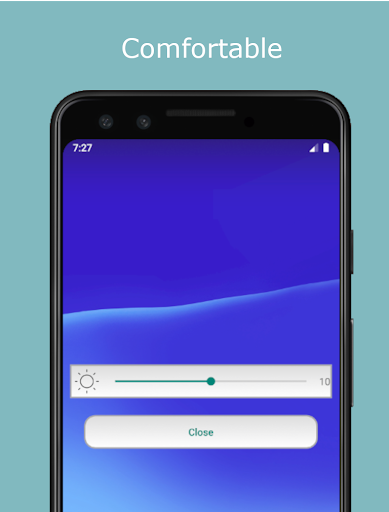
Moverio Link is a free application dedicated to MOVERIO smartphone connected models.This app allows you to control key settings on your Moverio glasses from your USB-C connected Android device.Key Features- Brightness Control Adjust the brightness of the connected MOVERIO glasses.- Volume Control Adjust the volume of the inline audio jack on the connected Moverio glasses.
Please note that earphones must be connected to the MOVERIO glasses when adjusting the volume.- 2D / 3D Switching Switch between 2D and 3D display modes on the connected Moverio glasses.
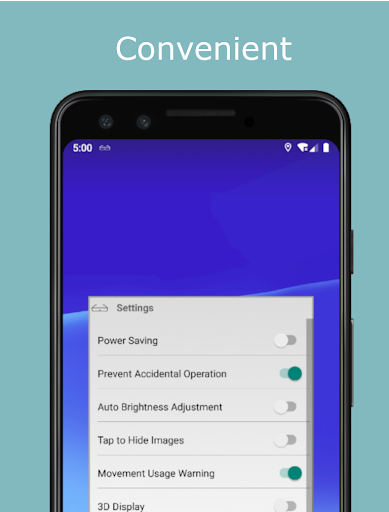
Please note that the Moverio uses the side-by-side method for 3D content viewing- Display Distance Control Adjust the virtual display distance of the connected MOVERIO glasses.Advanced Features- Power Save Mode If you do not operate the smart device for more than 10 seconds, the screen will auto-dim to save power.- Device Lock/Hold Mode (Prevent accidental operation) Shake the smart device several times to lock and unlock the screen This mode will help prevent accidental operation(s).Supported MOVERIO smartphone connected model(s):- BT-30C- BT-40Supported Android Devices- Device of Android version 9 to 12 which have USB Type-C connector- Please see this list for our supported Android devices.
https://avasys.jp/moverio/faq/en/faq.htmlFor information on using this app, visit the following page.https://avasys.jp/moverio/faq/en/faq.htmlWe welcome your feedback.
Unfortunately, we cannot reply to your e-mail.
https://andro.io/app/moveriolink
 Power 100

Android app profile
MOVERIO Link for Android – Latest Version & Features
★★★★★
(0 ratings)
Rate this app
How do you feel about MOVERIO Link?
Thanks for your feedback!
> 2.2k
Monthly Downloads
~$900
Estimated Cost
Screenshots









