
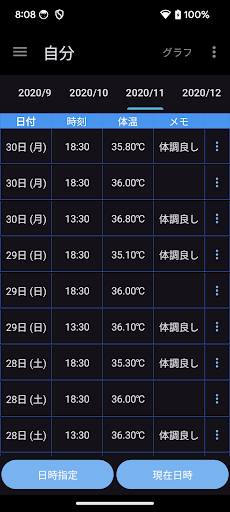
When you tap the record button belowYou can make a note of the measured body temperature.▼ Record body temperature1.
1.
Tap the record (date and time) button at the bottom2.
2.
Select the date when the body temperature was measured and tap Next.3.
3.
Select the time when the body temperature was measured and tap Next.4.
Enter the measured body temperature and tap OK.The decimal point is automatically entered.5.
Enter a memo and tap OK.6.
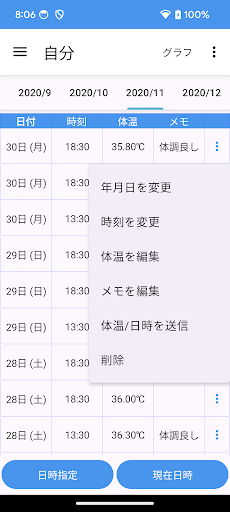
Confirm and tap Done.▼ SortBy tapping the date in the table, you can select ascending or descending order.▼ Model change data transferTap "Model change data transfer" in the menu to display the following selection screen.-Create file (create backup file for model change)-Restore (restore data from backup file)Procedure A.
Procedure for creating a backup file1.
Tap "Model change data transfer" in the menu.2.
Tap Create File.3.
Tap "Create File" on the confirmation screen.4.
Tap "Select App" on the send screen.5.
Tap "Save to drive".* Internet connection is required to save to the drive.Step B.
Restore (Restore data from backup file in step A)1.
Install this app on your new smartphone / tablet from google play.
Launch the app.2.
Tap "Model change data transfer" in the menu.3.
Tap Restore.4.
Tap the drive.5.
Tap My Drive.6.
From the list of files, tap the file you want to restore.If you tap "Sort" from the menu on the upper right, you can sort by "Modified date (newest first)".
https://andro.io/app/month-15ypc
 Power 100


Android app profile
体温 メモ ℃ 体温管理するためのアプリ for Android – Latest Version & Features
by ガソリン代記録アプリ
★★★★★
(0 ratings)
Rate this app
How do you feel about 体温 メモ ℃ 体温管理するためのアプリ?
Thanks for your feedback!
> 2.2k
Monthly Downloads
~$900
Estimated Cost
Screenshots









