
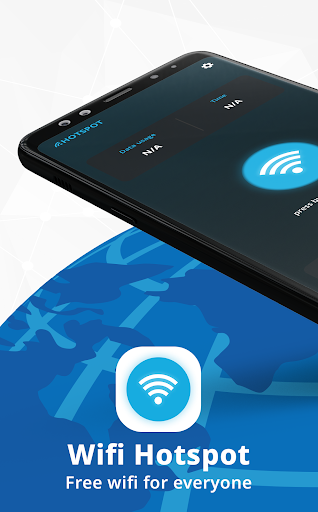
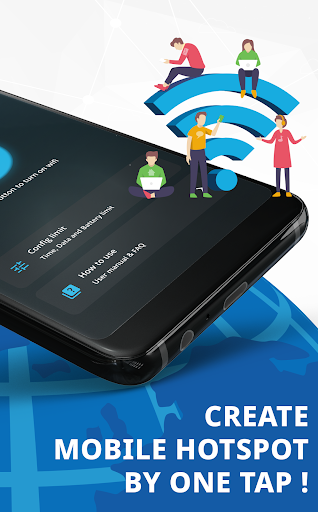
Portable Wi-Fi Hotspot App for you and fast, convenient, freeWi-Fi hotspots are a convenient way to share your internet connection with other devices.
They can be used in a variety of settings, such as at home, in the office, or on the go.There are a number of different Wi-Fi hotspot apps available, each with its own strengths and weaknesses.
In this app, not only as other Wi-Fi hotspot apps, including how they work, the different types of Wi-Fi hotspots, but we also have the best fit functions for you for different needs.How Wi-Fi Hotspots WorkA Wi-Fi hotspot is a device that creates a wireless network.
This network can then be used by other devices to connect to the internet.To create a Wi-Fi hotspot, you will need a device that has a Wi-Fi adapter.
This could be a smartphone, tablet, laptop, or even a router.Once you have a device with a Wi-Fi adapter, you will need to enable the hotspot feature.
This is usually done in the devices settings menu.Once the hotspot feature is enabled, you will need to create a name and password for your network.
This will help to protect your network from unauthorized access.Once you have created a name and password, your Wi-Fi hotspot will be ready to use.
Other devices can connect to your network by entering the name and password.Different Types of Wi-Fi HotspotsThere are two main types of Wi-Fi hotspots:Personal Wi-Fi hotspots: These are Wi-Fi hotspots that are created by individual users.
They are often used in homes, offices, or other small settings.Public Wi-Fi hotspots: These are Wi-Fi hotspots that are available to the public.
They are often found in places like airports, coffee shops, and libraries.Personal Wi-Fi hotspots are typically more secure than public Wi-Fi hotspots.
This is because they are often protected by a password.
Public Wi-Fi hotspots, on the other hand, are often open to anyone.
This means that they are more vulnerable to security attacks.Best Wi-Fi Hotspot AppsThere are a number of different Wi-Fi hotspot apps available.
The best Wi-Fi hotspot app for you will depend on your needs and preferences.
If you are looking for a simple and easy-to-use app, then many Tethering & Mobile Hotspot apps are good options.
But if you need a more powerful app with more features, then our app is good choice.Tips for Using Wi-Fi HotspotsHere are a few tips for using Wi-Fi hotspots:Use a strong password: This will help to protect your network from unauthorized access.Be aware of the risks: Public Wi-Fi hotspots are more vulnerable to security attacks than personal Wi-Fi hotspots.
Be careful about what information you share when using a public Wi-Fi hotspot.Update your software: Make sure that your devices software is up to date.
This will help to protect your device from security vulnerabilities.Wi-Fi hotspots are a convenient way to share your internet connection with other devices.
With a little planning, you can use Wi-Fi hotspots safely and securely.Portable Wi-Fi Hotspot App for you and fast, convenient, free
https://andro.io/app/mobilehotspot-vn8p
 Power 100
Android app profile
WiFi Hotspot, Personal hotspot for Android – Latest Version & Features
by PDF Reader & PDF Scanner - Snap Photo Editor
★★★★★
(0 ratings)
Rate this app
How do you feel about WiFi Hotspot, Personal hotspot?
Thanks for your feedback!
> 2.2k
Monthly Downloads
~$900
Estimated Cost
Screenshots




