
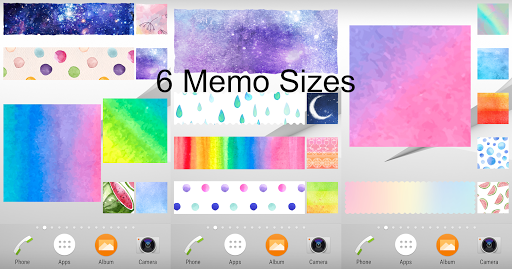
Please tab HERE to view the details of our new app Memo PremiumPlease tab HERE to view the details of our new app Memo Premium 2** There is FREE version for this app!https://play.google.com/store/apps/details?id=tc.engsoft.memowatercolor_liteSticky Notes widget of different sizes and designs for your android home screen![Features]- Write notes with your voice without typing (of course, you can input by typing)- Alarm- 6 memo sizes- More than 100 beautiful background images- 4 kinds of edge designs- Different font sizes and colors- Center alignment function- 1 tap to share your notes- Multiple notes can be stuck on home screen- Language support: English, Chinese, Japanese, French and Korean** No advertisements!
**[How to add this Sticky Notes widget to your Home screen]1.
Touch and hold any empty space on a Home screen.2.
Touch Widgets.3.
Touch and hold the widget "Memo Watercolor".
Youll see images of each Home screen.4.
Slide the widget to a Home screen image, then lift your finger.- The display of memo may differ among devices.- Not compatible with some Oppo phone models.Some graphics are designed by Freepik (www.freepik.com).
https://andro.io/app/memowatercolor
 Power 100



Android app profile
Sticky Memo *Watercolor* for Android – Latest Version & Features
by engsoft.tc
★★★★★
(0 ratings)
Rate this app
How do you feel about Sticky Memo *Watercolor*?
Thanks for your feedback!
> 2.2k
Monthly Downloads
~$900
Estimated Cost
Screenshots









