
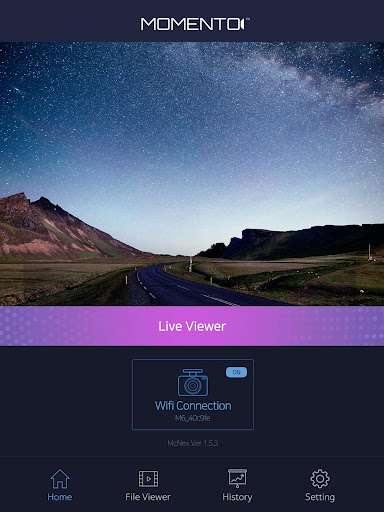
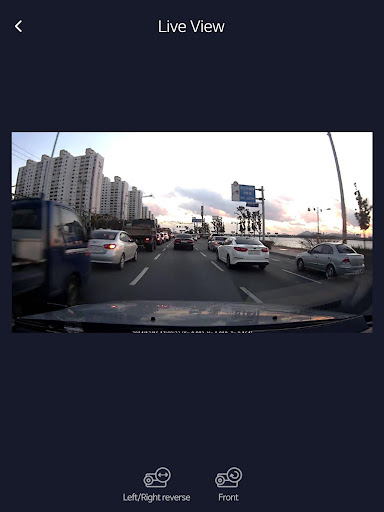
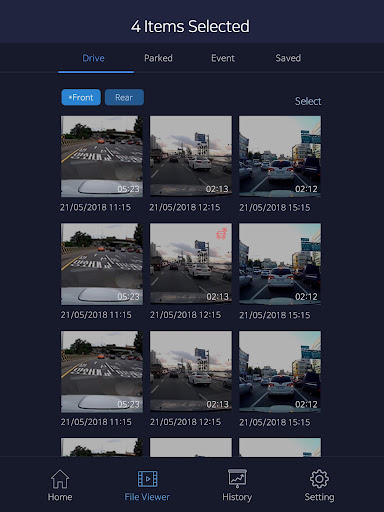
The Momento Dash Cam Viewer app allows drivers to review, edit, and download video recorded on their Wi-Fi enabled Momento dash cameras.
To use this application, please confirm that you have the following dash camera systems installed on your vehicle:• Momento M6 MD-6200Use the Momento Dash Cam Viewer app for any of the following:• Recording trips and exciting moments on the road• Exporting video recorded from an accident or collision• Sharing driving footage on social media (Facebook)How It Works:Wi-Fi enabled Momento dash cameras broadcast a “Wi-Fi hotspot”, which is accessible within ~10 meters of your vehicle.
Open the Momento Dash Cam Viewer app to review video that is recorded and stored on the camera’s micro-SD card.
Important note: Momento dash cameras do NOT upload your video footage to any type of online, or “cloud” storage.
All of your video footage is stored locally on the micro-SD card and is accessible within ~10 meters.
That means – no storage or subscription fees!Features:• High-definition video recordings• Driving and parking modes record everything that happens around your vehicle• GPS + speed antennae for reviewing speed and location of each recording• Built-in shock sensors for detecting vehicle impact• Motion sensors, which activate during parking mode• 32GB of storage (upgradeable on the camera)If you are having trouble connecting to your M6, please try the following:Step 1.
Enable Airplane Mode.Step 2.
Forget any existing/saved M6 Wi-Fi Network.Step 3.
Reconnect to the M6 network using the password.Step 4.
If Applicable, select "Connect only this time" at the internet availability prompt.
Step 5.
In case a different option was selected in step 4, repeat steps 1-4.
https://andro.io/app/mcnex


Android app profile
Momento M6 Dash Cam Viewer for Android – Latest Version & Features
Power 100
Rate this app
How do you feel about Momento M6 Dash Cam Viewer?
Thanks for your feedback!
> 2.2k
Monthly Downloads
~$900
Estimated Cost
Screenshots




