
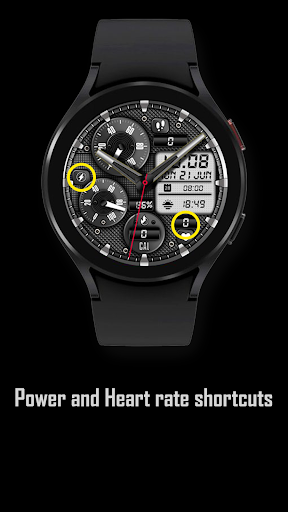
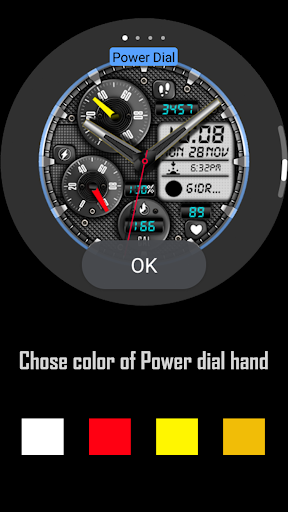
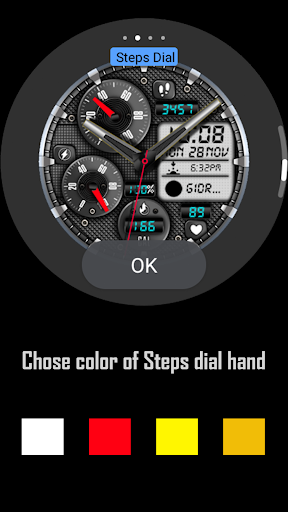
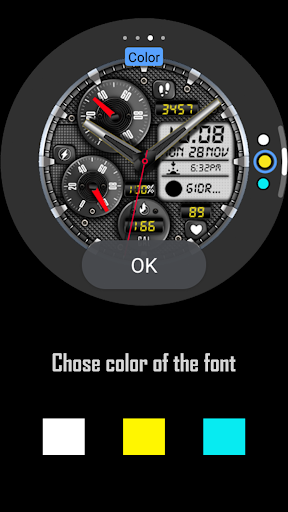
Analog business style watch face for Wear OS,Features:- Analog and digital time, digital date.- Analog daily steps progress followed by digital steps display,- Analog power indicator followed by digital display,- Digital calories, and Heart Rate.You can customize the color of the data hands, and the fonts.Chose between different apps and data to show on the digital display ( 2 customizations available ).*Some features might not be available on some watches.*Weather works only if you have weather app installedINSTALLATION NOTES:1 - Make sure the watch is properly connected to the phone, open Companion App on phone and tap on "INSTALL APP ON WEAR DEVICE" and follow instructions on watch.After a few minutes the watch face will transferred on watch : check the watch faces installed by the Wearable app on the phone.Note: If you stuck at payment loop, DONT WORRY, only one charge will be made even if you are asked to pay a second time.
Wait 5 minutes or restart your watch and try again.
It could be a synchronization problem between your device and Google servers.or2 - If you are having synchronization problems between your phone and Play Store, install the app directly from watch: search "MB281" from Play Store on watch and hit on install button.3 - Alternatively, try installing the watch face from web browser on your PC.Please, any problems on this side are NOT caused by the developer.
https://andro.io/app/mb281

Android app profile
MB281 Analog Watch Face for Android – Latest Version & Features
by MikichBlaz
Power 100
Rate this app
How do you feel about MB281 Analog Watch Face?
Thanks for your feedback!
> 2.2k
Monthly Downloads
~$900
Estimated Cost
Screenshots




