
This is a fidget app.
There is no score to attain, and zero challenge to it.
It can be used like an interactive screensaver.
And can be very meditative.
This app is about fidgeting around with the pseudo physics of Maple Leaves in motion.
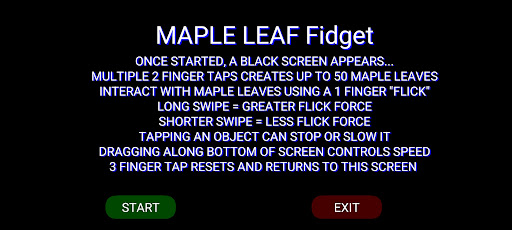
Tapping “Start” brings you to a black screen.
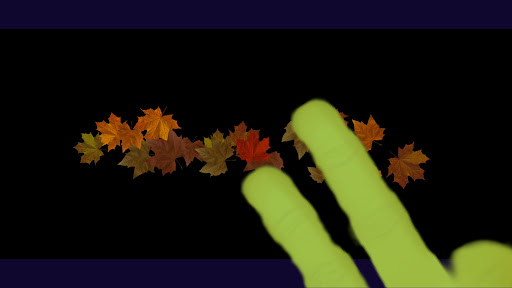
Continuous tapping on the screen with 2 finger sends up to 50 Maple Leaves of varying size into motion.
Upon collision they begin to spin.
The force of the collisions with each other or boundaries determines the direction and speed the Maple Leaves move and spin.
Changing the speed by sliding a finger along the bottom of the screen, produces a myriad of effects.
These Maple Leaves objects follow Newtons third law of motion.
"Objects in motion tend to stay in motion and objects at rest tend to stay at rest; unless acted upon by another force".
Directly interact with the Maple Leaves with 1 finger flick/swipe.
A short flick/swipe = less energy.
A longer flick/swipe = greater energy.
Use your finger like a bat/paddle/racket....
As the flicked object collides with other objects, its energy is transferred.
Each object passes the energy received to next and so on...
Tapping an object in motion can stop it .
Tapping with 3 fingers resets everything and returns to the start screen.
I appreciate any feedback.
Thank you!
I welcome all comments and suggestions ([email protected]).https://play.google.com/store/apps/details?id=com.cosmicgoo.Maple_Leaf_Fidget
https://andro.io/app/maple-leaf-fidget
 Power 100


Android app profile
Maple Leaf Fidget for Android – Latest Version & Features
by MarkCosmic
★★★★★
(0 ratings)
Rate this app
How do you feel about Maple Leaf Fidget?
Thanks for your feedback!
> 2.2k
Monthly Downloads
~$900
Estimated Cost
Screenshots









