
Have attractive profile photos in other peoples lists.
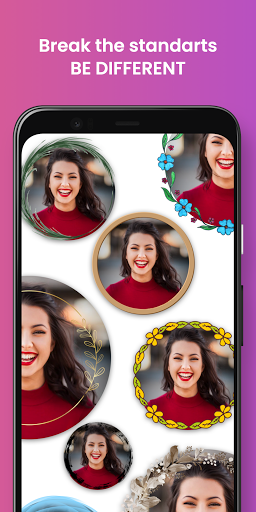
A non-standard profile photo grabs peoples attention.
You can create super cool profile pictures with this border maker app.
You can preview your selfies easily.
You can instantly save and use the framed photo you like.
You can add borders to your photos that created with ai.
Tap-to-Start Select the photo you want to turn into a cool profile photo.
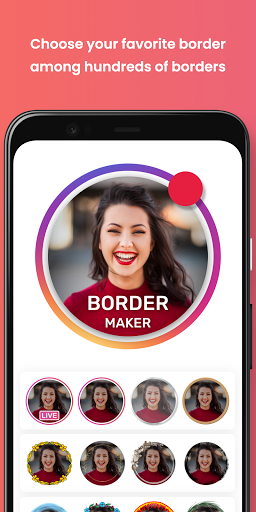
Scroll Freely Scroll until you find the border that suits you best.
Click on the list item to preview it.
New borders are added regularly.
Dont forget to check it out from time to time.
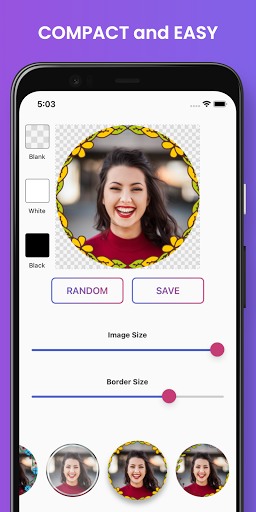
I feel lucky You can try your luck by pressing the Random button.
Adjust image and border You can easily resize your picture or border by sliding the bars.
Set background color You can set the background color for the platform you will use.
Transparent, white or black.
Preview & Save You get what you see in the preview.
Click the save button and export to your gallery.
What you can do - limitless and free get images- colorful border wall - create cool picture- rich pic fram- insta highlight covers
https://andro.io/app/maker-lt57
 Power 100
Android app profile
Colorful Frames Photo Maker for Android – Latest Version & Features
by bigApps
★★★★★
(0 ratings)
Rate this app
How do you feel about Colorful Frames Photo Maker?
Thanks for your feedback!
> 2.2k
Monthly Downloads
~$900
Estimated Cost
Screenshots









