
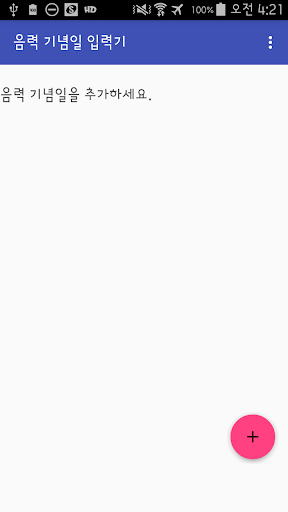
The app individually added to Google Calendar, the lunar day.Register your schedule each year.[How to use]1.
Create a separate calendar (recommended) 1) Visit the Google Calendar on your PC. 2) to select a calendar, and the "My Calendars" Topics option on the left side, click "Create new calendar." 3) Create a new calendar. 4) Set a smartphone -> entry in the account and synchronize your Google account.2.
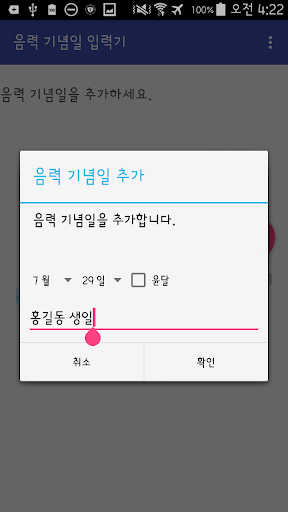
Register the lunar anniversary of the app Add and confirm the lunar date, title, intercalation.3.
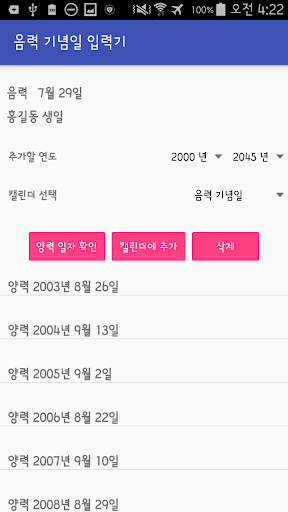
Confirm registration to the lunar calendar anniversary and Google Calendar 1) Select the lunar anniversary enrolled in two. 2) Select the range you want to add a calendar year.
(Year 2000 - 2045 support) 3) Select a Google calendar to add the schedule. 4) Press the OK button to confirm the date of lifting the converted Gregorian date. 5) Press the Add button to add the selected calendar with Google calendar.[Precautions] Synchronize your Google account on the> Account items - 1.
Set a smartphone if you add a certain invisible on other devices. 2.
Delete button in the app to erase only the anniversary is registered. If you want to delete, add and delete schedules, please search by title in the Calendar app on the web and devices.
https://andro.io/app/lunaranniversary
 Power 100

Android app profile
음력 기념일 입력기 for Android – Latest Version & Features
by yypbd.dev
★★★★★
(0 ratings)
Rate this app
How do you feel about 음력 기념일 입력기?
Thanks for your feedback!
> 2.2k
Monthly Downloads
~$900
Estimated Cost
Screenshots









