
ABOUT THE GET LKK 2.0 APPLICATIONJSC Gazprom Energosbyt Tyumen presents a new version of the mobile application GET LKK 2.0.
While maintaining all the basic functionality, we optimized the operation of the application, expanded its capabilities and created a unified interface for the application and the client’s personal account.Client office for individuals in a smartphone.
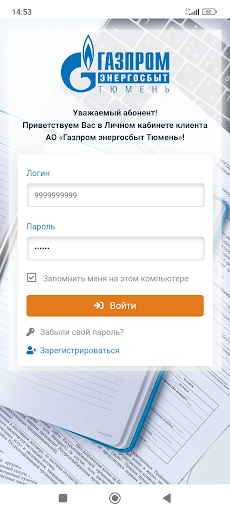
Here you can monitor the balance of a personal account opened with Gazprom Energosbyt Tyumen JSC, transmit meter readings, receive receipts, pay for housing and communal services without commission, and submit applications.EASY TO CONNECTTo register, you need a personal account number at Gazprom Energosbyt Tyumen JSC and the owner’s last name.
You set your login and password yourself on the “Profile” page.
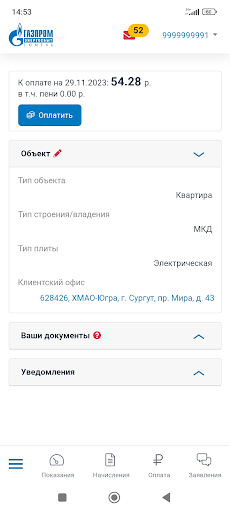
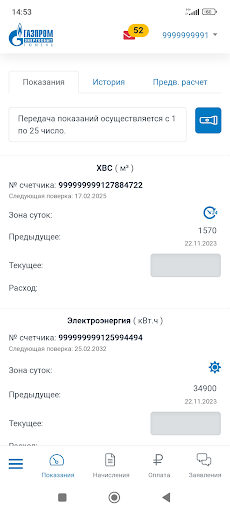
There you must indicate and confirm your contacts: email and phone number.EASY TO USEYou can easily navigate the application:1) the main page provides information about the address object, tariffs used, debt and documents provided;2) on the “Readings” page to transfer readings, select the desired meter, enter the readings and click “Submit readings” (readings are accepted from the 1st to the 25th of the month).
For each meter, you can view the resource consumption graph for the period of interest in the “History of Readings” subsection.
In the "Preliminary calculation" subsection, the function of calculating the amount to be paid before issuing a payment document is available;3) in the “Accruals” section you can view the accrual history and payment document (receipt) for any billing period of the previous three years;4) to pay, go to the “Payment” page, select the desired service/resource provider, indicate the amount and select the payment method;5) on the "Payment" page, you can set up automatic payments, with a choice of the debit method and the maximum debit amount.
In the "History" subsection you can view a list of all previously made payments;6) to submit an application, select the topic and reason in the “Application” section and fill out the data on the form;7) in order to receive information on all your personal accounts in one place, select “My personal accounts” in the “Profile” section, indicate the personal account and the owner’s surname (to switch to another personal account, select it from the drop-down list at the top parts of the application);8) subscribing to receive an electronic payment document is available in the “Profile” - “Subscriptions” section;9) in the “Notifications” section reminders about payment and the need to submit testimony are reflected.WHATS NEW:1) the possibility of submitting applications;2) support for payment acceptance systems Mir Pay, Gazprom Pay, Sberpay, SBP;3) preliminary calculation function;4) notifications about the conduct of claims and limitation of energy supply on the main page of the application;5) a single interface of the client’s personal account and mobile application.
https://andro.io/app/lkf
 Power 100

Android app profile
ГЭТ ЛКК 2.0 for Android – Latest Version & Features
by Gazprom energosbyt IT development
★★★★★
(0 ratings)
Rate this app
How do you feel about ГЭТ ЛКК 2.0?
Thanks for your feedback!
> 2.2k
Monthly Downloads
~$900
Estimated Cost
Screenshots









