
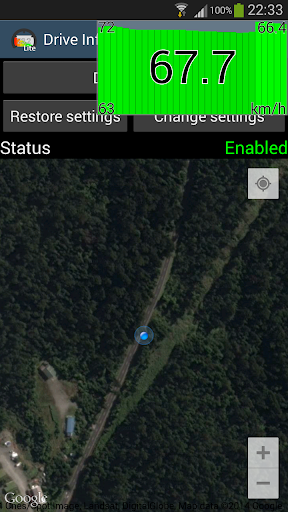
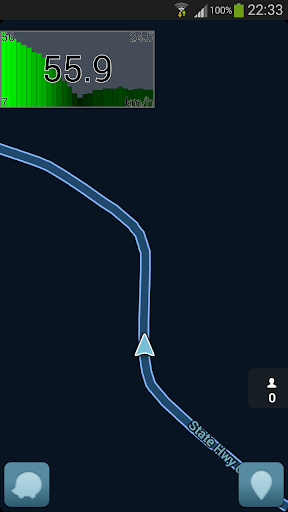
This is a modern speed counter that appears above any other application.
This includes a graph showing its progress in the last seconds.You can use your favorite GPS application for your guidance and superimposed, your speed will be displayed.
There is a HUD mode allowing you to keep your eyes on the road.It is possible to change the settings.
To do this, make a long press on the icon (more than half a second) and then lift your finger.
The setup screen appears.
If the display size does not suit you, use two fingers to zoom in all directions.
Or return to the screen of the application.
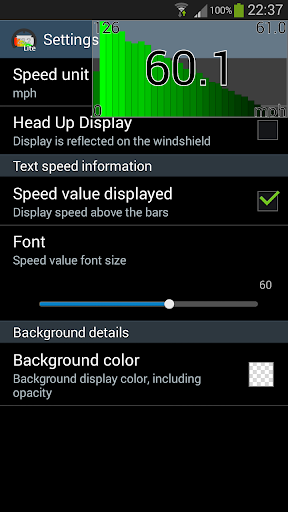
This version allows you to select the speed units, the display of the numerical value of speed or simply chart.
The text size can be changed.
The color of the background is adjustable, and its transparency.Different values are displayed: Top left: The fastest speed for the period Bottom left: The minimum speed for the period Top right: The average speed for the period Bottom right: A reminder of the selected speed unit In the middle, the last measured speed.Check the full version available here for many more featureshttps://play.google.com/store/apps/details?id=com.ccl.driveinfo
https://andro.io/app/lite-kxy3
 Power 100

Android app profile
Drive Info Lite for Android – Latest Version & Features
by WADCoding
★★★★★
(0 ratings)
Rate this app
How do you feel about Drive Info Lite?
Thanks for your feedback!
> 2.2k
Monthly Downloads
~$900
Estimated Cost
Screenshots









