
This apps provides control over your addressable WS2812B strip.
To use the app you have to fulfill some requirements.- You need any WS2812B LED Strip and a fitting PSU (power supply unit)- You need a Raspberry Pi (min.
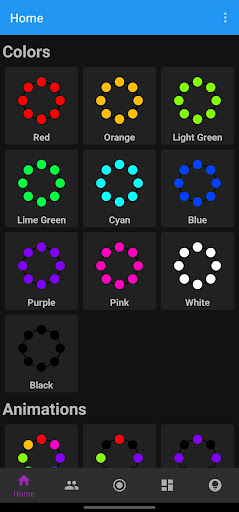
requirements: GPIO + Header, WiFi, OpenJDK 8 and Raspberry OS 9 [Stretch])- Our controlling software which you can download from the GitHub repository (latest build in the /out folder).How is the app built?In total there are five menus available: Home, Community, Action Tags, Variables and Devices.HOMEControl your configured strips with a different preset and custom scripted procedures/animations.
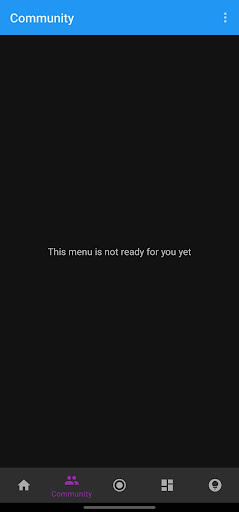
Simply click the card and the animation will show up.COMMUNITY (not available yet)Community is always a pro factor.
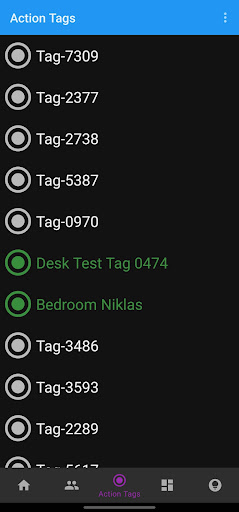
Find user created procedures, upvote and downvote them and play them on your led strips.You can also create own animations either scripted or defined by a animation/procedure type and a data bundle.ACTION TAGS (not available yet)Get yourself some NFC tags and use them as an (event) trigger for animations on different devices.
Free to configure with various animations and public accessible for others.VARIABLES (not available yet)Modify the running animation by changing one or more variables (like speed, duration, color, etc.)DEVICESThis menu is used to register, enable and disable single led strip controllers.
Register a new device by scanning your network and adding a found device to your app.SYSTEM SETUP AND INSTALLATION GUIDELINESClick here to visit the installation guideTECHNICAL ASPECTSClick here to visit the tech guide
https://andro.io/app/liocontroller
 Power 100
Android app profile
LIO Controller for Android – Latest Version & Features
★★★★★
(0 ratings)
Rate this app
How do you feel about LIO Controller?
Thanks for your feedback!
> 2.2k
Monthly Downloads
~$900
Estimated Cost
Screenshots









