
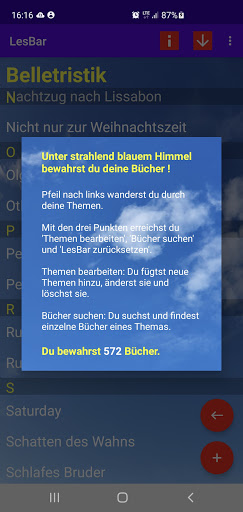
With “LesBar” you manage your book collection.
Then you always know which books are on your bookshelf.You save, change and delete book titles that you can assign to topics.
You will be supported by an ISBN scanner when recording your books.
Alternatively, enter the ISBN in 13 digits or 10 digits.
With the ISBN or with the title and author you will receive further book data: publisher, publication date, page number, content and book icon.
This information is displayed and you can change or add it before saving.
Your own notes and a possible picture of the book complete your book data.The saved book titles appear in a topic-related list.
If you choose a title, your book data will be shown, which you can change if necessary.
Here you can find out about other books by the author and their contents.Within a topic you can search for saved titles using a search function.The authors of your books can be displayed sorted by first or last name.
When you select an author, the book title is displayed and, when you touch this title, the information associated with the book is displayed.
Information buttons when starting "LesBar", when entering titles and when displaying the book data provide assistance in using the app.
https://andro.io/app/lesbar
 Power 100


Android app profile
LesBar for Android – Latest Version & Features
by LeseWolf
★★★★★
(0 ratings)
Rate this app
How do you feel about LesBar?
Thanks for your feedback!
> 2.2k
Monthly Downloads
~$900
Estimated Cost
Screenshots









