
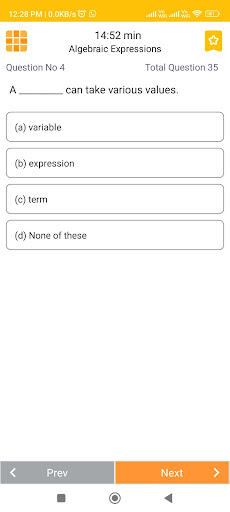
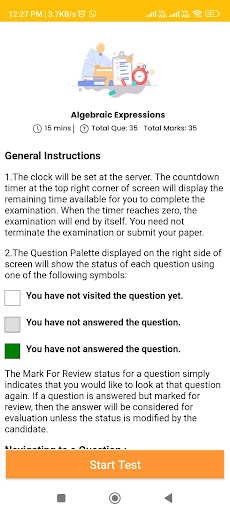
Learn 360 Offering unlimited tests, access to videos, and previous year exam papers through your e-learning app can provide significant benefits to students.
Heres how these features can enhance the learning experience:Unlimited Tests:Practice Opportunity: Students can take unlimited practice tests to reinforce their understanding of concepts and improve their problem-solving skills.Self-Assessment: Regular testing helps students gauge their progress and identify areas that require further study.Confidence Building: Frequent testing can boost students confidence and reduce test anxiety by making them more familiar with the exam format.Access to Videos:Visual Learning: Videos provide a dynamic way to present complex topics, making them easier to understand and remember.Visual Aids: Visual demonstrations, animations, and diagrams can clarify concepts that might be challenging to understand through text alone.Convenience: Students can watch videos at their own pace, replay sections as needed, and revisit concepts that require review.Previous Year Exam Papers:Familiarity with Exam Patterns: Access to previous year exam papers helps students understand the structure and types of questions commonly asked in exams.Practice with Authentic Content: Solving actual exam papers allows students to practice under realistic conditions, simulating the exam experience.Strategy Development: Analyzing previous papers helps students develop strategies for time management and question prioritization.By combining these features, your e-learning app can create a comprehensive learning environment that caters to different learning preferences and needs.
Here are a few additional considerations:Content Quality: Ensure that the videos and exam papers provided are of high quality and relevance to the target audience.
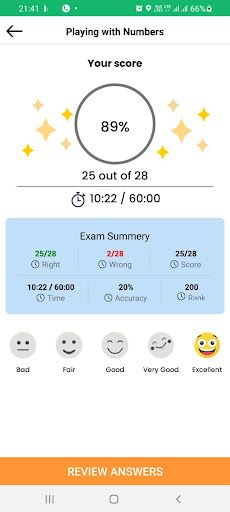
Accurate and up-to-date content is crucial for effective learning.User-Friendly Interface: Design the app with an intuitive interface that makes it easy for students to navigate through tests, videos, and papers.Progress Tracking: Implement a feature that allows students to track their performance on tests, monitor their progress over time, and receive recommendations for areas that need improvement.Feedback and Analysis: Provide detailed feedback on test performance, highlighting correct answers and explaining incorrect ones.
This helps students learn from their mistakes.Engagement and Gamification: Consider incorporating gamification elements like rewards, badges, and leaderboards to motivate students to engage more actively with the app.Mobile Compatibility: Ensure that the app is responsive and works well on various devices, including smartphones and tablets.Regular Updates: Continuously update the content, especially exam papers and videos, to stay current with curriculum changes and advancements in the subject matter.Security and Privacy: Implement appropriate security measures to protect user data, especially if the app involves tests and assessments.By offering a robust combination of unlimited tests, video resources, and previous year exam papers, your e-learning app can provide a holistic learning experience that supports students academic growth and success.
https://andro.io/app/learn360
 Power 100

Android app profile
Learn 360 for Android – Latest Version & Features
★★★★★
(0 ratings)
Rate this app
How do you feel about Learn 360?
Thanks for your feedback!
> 2.2k
Monthly Downloads
~$900
Estimated Cost
Screenshots









