
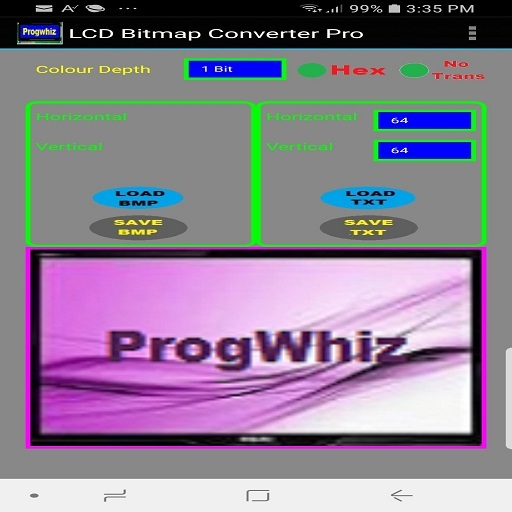
LCD Bitmap Converter tool allows developers to customise firmware display graphics.
This is achieved by loading a 24bit image in BMP format and selecting the colour (1bit, 2bit or 4bit) and image dimensions (for eg: 96 x 96).
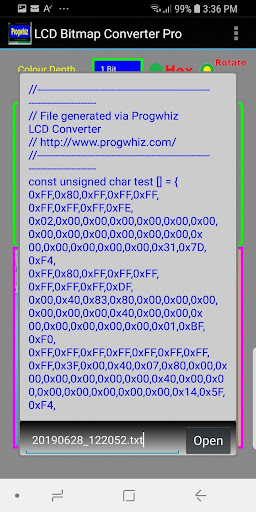
The result is a text file representing the image bytes in textual hexidecimal format, this code is then included in a firmware source code or library for compilation.
The resultant binary when uploaded will display the graphic at the desired time.Feature Summary1) Convert your .bmp/.gif/.jpg/.jpeg/ image file to embedded C/C++ code style array or string: {HEX: 0xFF,0xBA,0x12,0x08..} or {HEX: 0xFF,0xBA,0x12,0x8..}2) Convert your embedded C/C++ code style array or string: {HEX:0xFF,0xBA,0x12,0x08..} or {HEX:0xFF,0xBA,0x12,0x8..} to .bmp/.gif/.jpg/.jpeg/ image file3) Convert your embedded C/C++ code style Binary array or string: {BIN: B11011110, B10101011, ..} to .bmp/.gif/.jpg/.jpeg/ image file4) Convert your .bmp/.gif/.jpg/.jpeg/ image file to embedded C/C++ code style array or string: {BIN: B11011110, B10101011, ..}
https://andro.io/app/lcdc
 Power 100



Android app profile
LCD Bitmap Converter for Android – Latest Version & Features
★★★★★
(0 ratings)
Rate this app
How do you feel about LCD Bitmap Converter?
Thanks for your feedback!
> 2.2k
Monthly Downloads
~$900
Estimated Cost
Screenshots









