
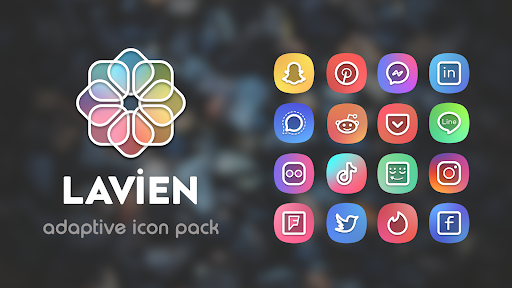
Lavien is elegant and modern icon pack.
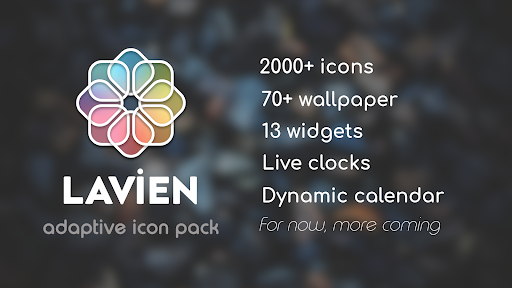
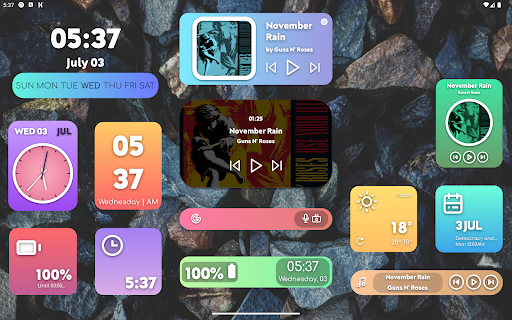
They have linear white foreground and gradient background in pastel colors.Features:• 2000+ Adaptive Icons• 75 Wallpapers• 13 Widgets• Live Clock and Dynamic Calendar• High Resolution Icons (432x432)• Regular UpdatesSupported Launchers:• Lawnchair Launcher v2• Rootless Pixel Launcher• Hyperion Launcher• Lean Launcher• Nova Launcher• Shade Launcher• Ruthless Launcher• Flick Launcher• Niagara Launcher• Posidon Launcher• Smart Launcher• Poco LauncherHow to Use:•Lawnchair Launcher v2: Go to Launcher’s Home Settings.
Open “Theme”, Then Choose The Icon Pack.
Change the Shape.•Rootless Pixel Launcher: Go to Launcher’s Home Settings.
Then Choose the Icon Pack.
Change the Shape.•Hyperion Launcher: Go to Launcher’s Home Settings.
Open “Iconography”, Then Choose Icon Pack.
Change the shape.•Lean Launcher: Go to Launcher’s Home Settings.
Then Choose the Icon Pack.
Change the Shape.•Nova Launcher: Go to Launcher’s Settings.
Open “Look & Feel”, Then open “Icon Style”, Choose Icon Pack.
Change shape.•Shade Launcher: Go to Launcher’s Home Settings.
And choose the icon pack and shape from under "Theme".•Ruthless Launcher: Go to Launchers Home Settings.
Open "Styles", Then choose icon pack and shape.• Flick Launcher: Go to Lauchers Settings.
Open "Icons", Then choose icon pack and shape.• Niagara Launcher: Go to Lavien Icon Pack app.
Tap "Apply Lavien Adaptive Icon Pack", then choose icon shape from developer settings of phone or pixel themes app.• Posidon Launcher: Go to launchers settings.
Open "Theme", Then choose icon pack and shape.• Smart Launcher: Go to launchers settings.
Open "Global appearance", after open "Icon appearance".
Then choose icon pack and icon shape.• Poco Launcher: Go to Launcher’s Settings.
Tap “More”, Then open “Icon Pack”, Choose Icon Pack.
Change icon shape in developer settings of phone.Frequently Asked Questions:Why it says Device Unsupported?Adaptive icons are introduced in Android 8.0.
So, The Icon Pack only works on Android 8.0+ Devices.Why it is not working on my device?It mainly works on AOSP Android 8.0 Based Firmware (Lineage OS, Resurrection Remix, AEX etc.).
It’s not guaranteed that the icon pack will work on Devices with Custom Shell.
It’s not the problem of Icon Pack, It’s the Problem of OEMHow do I get more Icon Shapes?Ask your launcher developer to add more shape, I cant do anything about it.Support:• Mail:[email protected]• Telegram:t.me/lavien_iconsRate it with 5
🌟 if Possible If you see something wrong, write me dont hesitate.
https://andro.io/app/lavien
 Power 100

Android app profile
Lavien Adaptive Icon Pack for Android – Latest Version & Features
by osmanonurkoc
★★★★★
(0 ratings)
Rate this app
How do you feel about Lavien Adaptive Icon Pack?
Thanks for your feedback!
> 2.2k
Monthly Downloads
~$900
Estimated Cost
Screenshots









