
Concise but complete, it is easy to change the searched word (without annoying pop ups) and it has translations to common other languages.

https://andro.io/app/lang-de-de
Power 100
Android app profile
German Dictionary Offline for Android – Latest Version & Features
by Livio
★★★★★
(2944 ratings)
Rate this app
How do you feel about German Dictionary Offline?
Thanks for your feedback!
> 2.2k
Monthly Downloads
~$900
Estimated Cost
Screenshots
About German Dictionary Offline
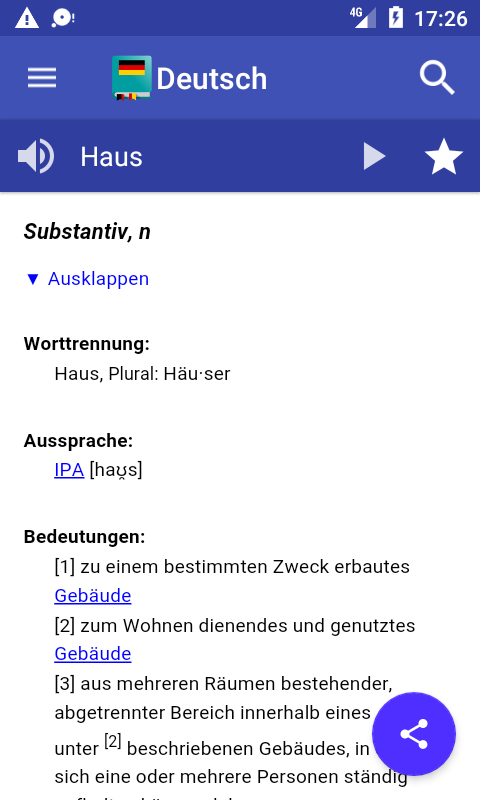
The free offline German dictionary application explains the meaning of German words!
Definitions are based on German Wiktionary.
This is a monolingual German dictionary: words must be entered in German language.Features
♦ More than 127000 words and large number of inflected forms
♦ Fast as it works offline, internet is used only when a word is not found in the offline dictionary
♦ You can leaf through words using your finger (swipe right and left)
♦ Easy and functional user interface, optimized also for tablets
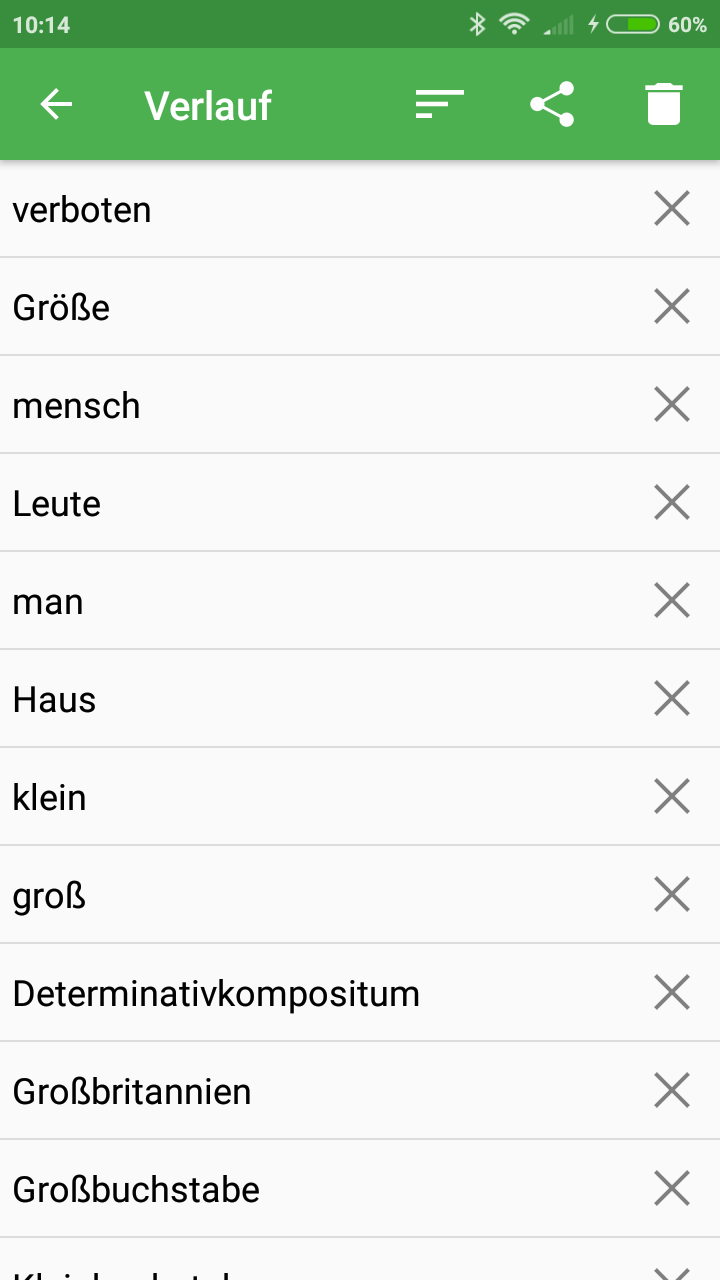
♦ Bookmarks and search history with option to backup your bookmarks
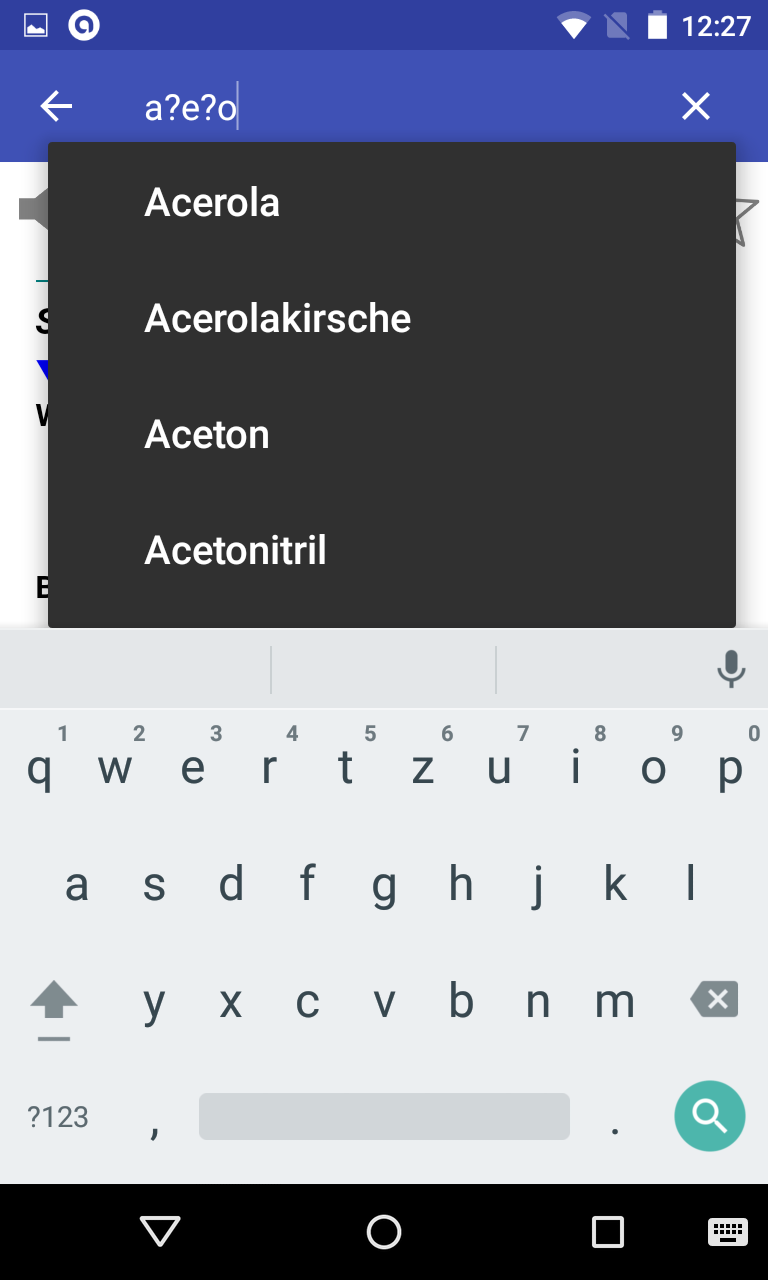
♦ Crossword help: the symbol ?
can be used in place of single unknown letter.
The symbol * can be used in place of any group of letters.
♦ Random search button (shuffle), useful to learn new words
♦ Share word definition using other apps, like gmail or whatsapp
♦ Compatible with Moon+ Reader and FBReaderYour settings
♦ Black and white themes with user defined text colors (press menu-->select Settings-->click on Theme)
♦ Optional Floating Action Button (FAB) supporting one of the following actions: Search, History, Favorites, Random search and Share option
♦ Persistent Search option to get automatic keyboard at startup
♦ Text to speech options
♦ Number of items in history
♦ Customisable font size and line spacingQuestions:
♦ Question & Answers: http://goo.gl/UnU7V
♦ No voice output?
Please follow instructions here: http://goo.gl/axXwR.
♦ Information about permissions used by the application can be found here: http://goo.gl/AsqT4CWord pronunciation works only if voice data have been installed in your phone (Text-to-speech engine).
In case Moon+ Reader does not list my dictionary: open pop-up "Customize dictionary" and select "Open dictionary directly when Long-Tap on a word"
⚠ An offline dictionary needs memory.
In case your device has low memory, please consider to use the online dictionary: http://play.google.com/store/apps/details?id=livio.dictionaryInformation for application developers:
✔ This application provides Dictionary API for 3rd party developers, please read further details: http://thesaurus.altervista.org/dictionary-androidPermissionsThis application requires the following permissions:
♢ INTERNET - to retrieve the definition of unknown words
♢ WRITE_EXTERNAL_STORAGE (aka Photos/Media/Files) - to backup configuration and bookmarksVersion 6.1
♦ Dictionary updated with new definitions
Definitions are based on German Wiktionary.
This is a monolingual German dictionary: words must be entered in German language.Features
♦ More than 127000 words and large number of inflected forms
♦ Fast as it works offline, internet is used only when a word is not found in the offline dictionary
♦ You can leaf through words using your finger (swipe right and left)
♦ Easy and functional user interface, optimized also for tablets
♦ Bookmarks and search history with option to backup your bookmarks
♦ Crossword help: the symbol ?
can be used in place of single unknown letter.
The symbol * can be used in place of any group of letters.
♦ Random search button (shuffle), useful to learn new words
♦ Share word definition using other apps, like gmail or whatsapp
♦ Compatible with Moon+ Reader and FBReaderYour settings
♦ Black and white themes with user defined text colors (press menu-->select Settings-->click on Theme)
♦ Optional Floating Action Button (FAB) supporting one of the following actions: Search, History, Favorites, Random search and Share option
♦ Persistent Search option to get automatic keyboard at startup
♦ Text to speech options
♦ Number of items in history
♦ Customisable font size and line spacingQuestions:
♦ Question & Answers: http://goo.gl/UnU7V
♦ No voice output?
Please follow instructions here: http://goo.gl/axXwR.
♦ Information about permissions used by the application can be found here: http://goo.gl/AsqT4CWord pronunciation works only if voice data have been installed in your phone (Text-to-speech engine).
In case Moon+ Reader does not list my dictionary: open pop-up "Customize dictionary" and select "Open dictionary directly when Long-Tap on a word"
⚠ An offline dictionary needs memory.
In case your device has low memory, please consider to use the online dictionary: http://play.google.com/store/apps/details?id=livio.dictionaryInformation for application developers:
✔ This application provides Dictionary API for 3rd party developers, please read further details: http://thesaurus.altervista.org/dictionary-androidPermissionsThis application requires the following permissions:
♢ INTERNET - to retrieve the definition of unknown words
♢ WRITE_EXTERNAL_STORAGE (aka Photos/Media/Files) - to backup configuration and bookmarksVersion 6.1
♦ Dictionary updated with new definitions
User Reviews
F
5
★
★
★
★
★
D
5
★
★
★
★
★
Sehr praktisches
S
4
★
★
★
★
★
It was very good. but now it doesnt show the meaning on other languages. deos any body know how can I fix it?
A
5
★
★
★
★
★
es ist hervorragend
D
5
★
★
★
★
★
I must keep up my German speech and composing context. They are accurate & it is not a FEE FI FO FUMBLE... (HAHA)
F
5
★
★
★
★
★
The best offline Dictionary EVER, In all languages!
A
5
★
★
★
★
★
No complains





