
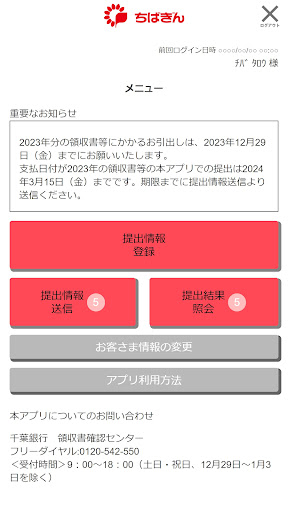
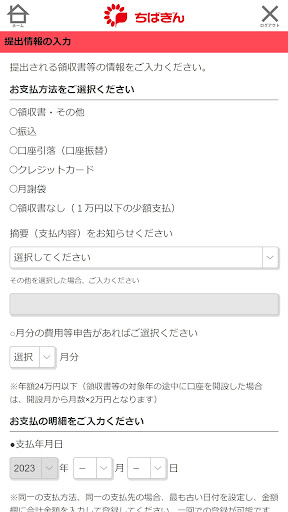
This is a receipt submission app that can be used by those who have signed up for the "Chibagin Education Fund Gift Account." Simply log in using the customer ID and password provided by our bank in advance, enter the details of your receipt, etc., take a photo of the receipt, etc., and send it to complete the submission.■Features of this app1.
Submit anytime, anywhereYou can submit receipts at any time during the receipt submission period without having to visit the store.*Unavailable from 3:00 AM to 6:00 AM.2.
Easy procedure in a short timeSubmission is completed by simply entering the details of the receipt, etc., taking a photo of the receipt, etc., and sending it.
There is no need to fill out required documents at the counter, make copies of original documents, or wait in line.3.
The original remains in your possessionYou will be asked to take a photo of your receipt and submit it, so you can keep the original receipt with you.4.
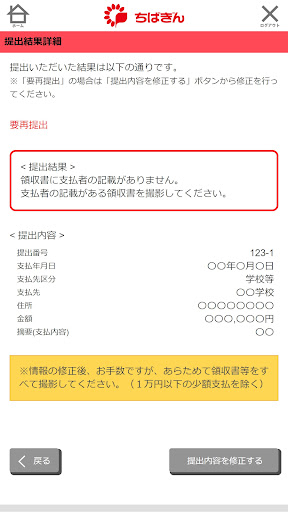
Check the confirmation results on the appAfter submitting your receipt through the app, you can also check the confirmation results on the app.■Things you should check1.
Customers who have not received their customer ID and password from the Bank will not be able to use this app.2.
Communication will occur, so please use it in a place with good signal reception.
Separate communication charges are required.3.
When submitting a receipt, you will be required to consent to the Banks use of personal information.■Recommended environmentAndroid 5.1・Android 6.0・Android 7.0・Android8.0・Android9.0・Android10・Android11・Android12・Android13・Android14-This application cannot be used on tablet devices.
https://andro.io/app/kyouiku
 Power 100
Android app profile
千葉銀行 教育資金領収書提出アプリ for Android – Latest Version & Features
by 株式会社 千葉銀行
★★★★★
(0 ratings)
Rate this app
How do you feel about 千葉銀行 教育資金領収書提出アプリ?
Thanks for your feedback!
> 2.2k
Monthly Downloads
~$900
Estimated Cost
Screenshots









