
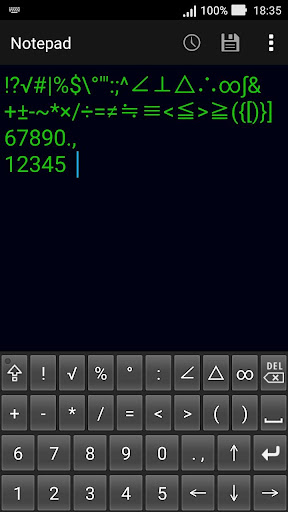
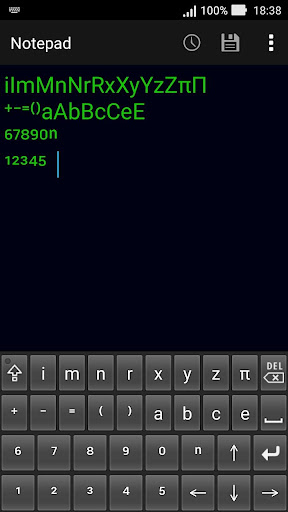
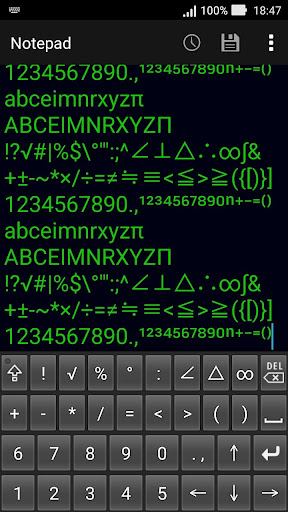
This is a soft keyboard that is convenient for writing mathematical questions and expressions, etc.Numbers, symbols, alphabets and superscripts can be entered without conversion.You can enter digits from 0 to 9, alphabets "a,b,c,e,i,m,n,r,x,y,z", Greek letter "π", superscripts "⁰,¹,²,³,⁴,⁵,⁶,⁷,⁸,⁹,⁺,⁻,⁼,⁽,⁾,ⁿ" and mathematical symbols "!?√#|%$°"^:;∠⊥△∴∞∫&+±-~*×/÷=≠≒≡<≦>≧({[)}].,".If you press the key of the symbol continuously, it switches to a different symbol.If you press the key of the alphabet and Greek letters continuously, it switches from lowercase letters to uppercase letters.Please be aware that superscript may not be saved properly depending on the character code of the text file to be entered.If it is UTF-8 of the standard character code of Android OS it can be saved correctly.There is a possibility of garbled characters when saving with the standard character code of Windows PC.Enabling Keyboards01Go to Settings > System > Languages & input > and tap Virtual keyboard in the Keyboard & inputs section.02Youll see a list of each keyboard youve installed.Tap "Manage keyboards".03Toggle on the new keyboard.You might see a warning that this input method may collect the text you type including personal information.But this app does not collect any input content.This is not a warning specific to this application, it will always be displayed if you select a character input application other than the keyboard that is standard on the device.If youre satisfied with the explanation, tap OK.Note: Instructions will vary depending on your Android OS.Switching Keyboards01Launch the app you want to type in.02Tap to bring up the keyboard.03Tap the keyboard icon on the bottom right.(On some devices this icon isnt present, in that case pull down the notification bar when a keyboard is active.)04Choose the keyboard from the list that pops up.
https://andro.io/app/keyboard32
 Power 100

Android app profile
Mathematical keyboard E for Android – Latest Version & Features
by hosinoatusi
★★★★★
(0 ratings)
Rate this app
How do you feel about Mathematical keyboard E?
Thanks for your feedback!
> 2.2k
Monthly Downloads
~$900
Estimated Cost
Screenshots









