
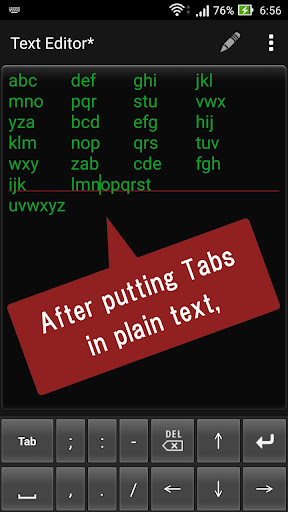
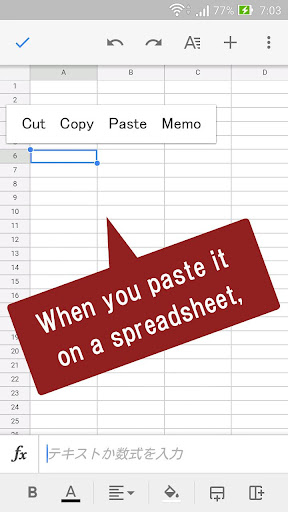
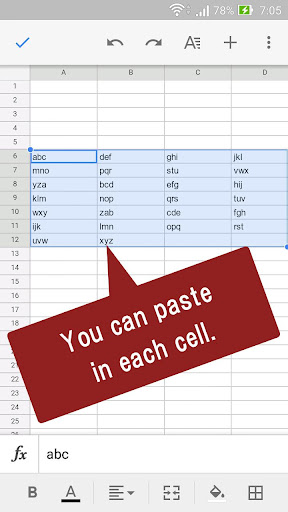
This is a soft keyboard specialized for entering tabs and spaces.It is useful when making spreadsheet files such as Excel from plain text.It is also useful for re-entering when newlines disappear due to differences in file format.";:-,./" can also be entered.Please note that you can not enter tabs depending on the application you use.Enabling Keyboards01Go to Settings > System > Languages & input > and tap Virtual keyboard in the Keyboard & inputs section.02Youll see a list of each keyboard youve installed.Tap "Manage keyboards".03Toggle on the new keyboard.You might see a warning that this input method may collect the text you type including personal information.But this app does not collect any input content.This is not a warning specific to this application, it will always be displayed if you select a character input application other than the keyboard that is standard on the device.If youre satisfied with the explanation, tap OK.Note: Instructions will vary depending on your Android OS.Switching Keyboards01Launch the app you want to type in.02Tap to bring up the keyboard.03Tap the keyboard icon on the bottom right.(On some devices this icon isnt present, in that case pull down the notification bar when a keyboard is active.)04Choose the keyboard from the list that pops up.
https://andro.io/app/keyboard05
 Power 100

Android app profile
Tab keyboard for Android – Latest Version & Features
by hosinoatusi
★★★★★
(0 ratings)
Rate this app
How do you feel about Tab keyboard?
Thanks for your feedback!
> 2.2k
Monthly Downloads
~$900
Estimated Cost
Screenshots









