
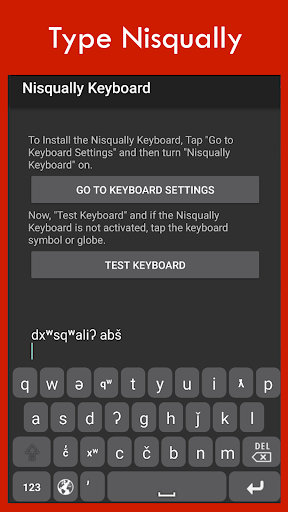
Nisqually Keyboard installs the keyboard layout setting for the Nisqually language.Nisqually Keyboard is the Android app that lets you type correct Nisqually into any text area on your Android device by simply switching into the Nisqually Keyboard Layout.1.
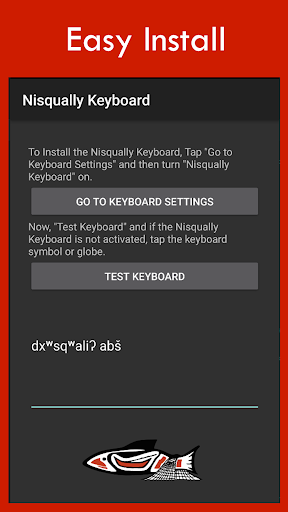
Open the Nisqually App2.
Select "Go to Keyboard Settings"3.
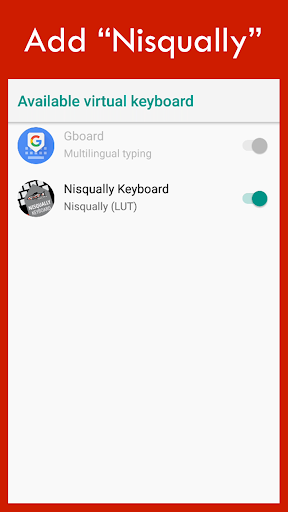
Turn "Nisqually Keyboard" on5.
Go back to the App and "Test Keyboard"6.
Tap or Press and Hold the Globe, Spacebar, or keyboard icon to switch to the "Nisqually Keyboard"7.
Tap the shift key or press and hold other keys to see additional charactersCongratulations!
Now you can type Nisqually.Once installed and selected as a keyboard option, you can switch between Nisqually and English as you type emails, SMS, MMS, web content, and in any other text-input field.
Simply press the GLOBE icon to switch.
This is the ultimate integrated Nisqually app keyboard solution to help you type Nisqually on Facebook, Twitter or wherever, accurately and with integrity.
Once installed and selected as a keyboard option, you can switch between Nisqually and English as you type emails, SMS, MMS, web content, and any other text-input field.
https://andro.io/app/keyboard-12z3s
 Power 100

Android app profile
Nisqually Keyboard for Android – Latest Version & Features
★★★★★
(0 ratings)
Rate this app
How do you feel about Nisqually Keyboard?
Thanks for your feedback!
> 2.2k
Monthly Downloads
~$900
Estimated Cost
Screenshots









