
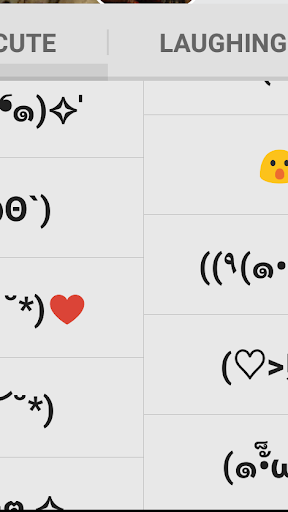
This app offers you a second keyboard specialized in Emoji and Emoticon.
Use this keyboard and your favorite main keyboard together.* Update Your ‘Emoticon Pack’ App‘Emoticon Pack’ (version 201404260 or later) is required to use this keyboard.
If you add, edit, delete or rearrange emoticons on Emoticon Pack, it will be reflected on this keyboard.* How to Enable Emoticon and Emoji KeyboardEnable this keyboard on your device setting; Manage keyboards.
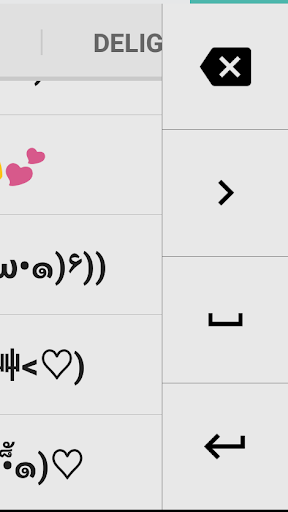
Disable other keyboard apps that are not in use, it will be easier to switch to this keyboards.*Display Selector IconWe recommend you to enable Selector icon to switch keyboards conveniently at any time.* Input Emoji and EmoticonInput emoji and emoticon by press Selector icon at the lower right corner.
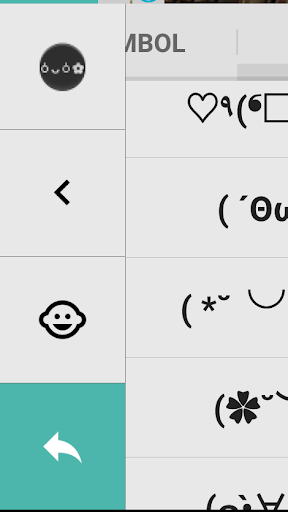
If you have globe button on your keyboard, you can switch with one simple tap.* Return to the Main KeyboardReturn to the main keyboard by pressing green arrow at lower left corner.
Or you can press and hold your desired emoji and emoticon to return automatically to your main keyboard.* Replace Emojis and EmoticonsPress the face icon button on the upper left corner to open Emoticon Pack.
Edit list of emoji and emoticon on your Emoticon Pack.
It will be reflected your keyboard.
Make your custom keyboard with your favorite emoji and emoticons.
https://andro.io/app/keyboard-10ry5
 Power 100

Android app profile
Emoticon and Emoji Keyboard for Android – Latest Version & Features
by BENIGUMO.COM
★★★★★
(0 ratings)
Rate this app
How do you feel about Emoticon and Emoji Keyboard?
Thanks for your feedback!
> 2.2k
Monthly Downloads
~$900
Estimated Cost
Screenshots









