
This little app provides a quick and simple way to keep your device’s screen on, so you don’t have to keep touching the screen to prevent the screen from going off.
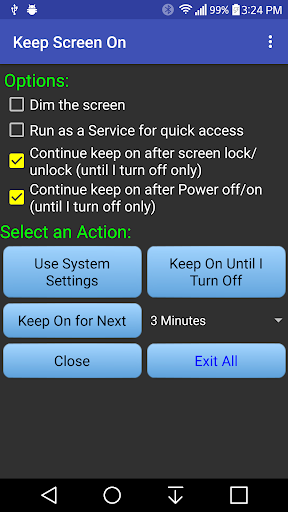
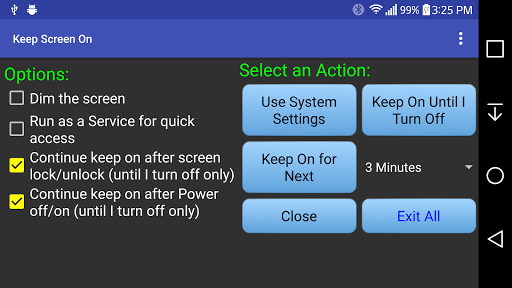
This app has 3 modes to keep the screen on:1.
Use System Setting – Restore to your device’s system setting screen timeout value.2.
Until I turn off – Keep the screen on until you turn off the phone or put the phone on sleep.3.
Keep on for the desired period of time.This app also has the following features:- Run as a Service for quick and easy access from any other apps.- Display a notification icon on top to indicate how long the screen has been on (Until I turn off mode) or how long the screen will be on (Keep on for next … mode).- An option to keep the screen on but also dim the screen.Use the following two options to stop running as a Service:1.
Un-check the “Run as a Service…”, and then click on “Use System Settings”.2.
Use “Exit All” button.This app uses the following permissions:- System Wake Lock: To prevent the screen from turning off.
https://andro.io/app/keepscreenon-1a6ec
 Power 100


Android app profile
Keep Screen On for Android – Latest Version & Features
by ByOne Coder
★★★★★
(0 ratings)
Rate this app
How do you feel about Keep Screen On?
Thanks for your feedback!
> 2.2k
Monthly Downloads
~$900
Estimated Cost
Screenshots









