
~ How to use ~1.
Register the store to shop.2.
Register the name and quantity of the product you want to buy on the date of shopping.3.
When shopping is completed, check the product.4.
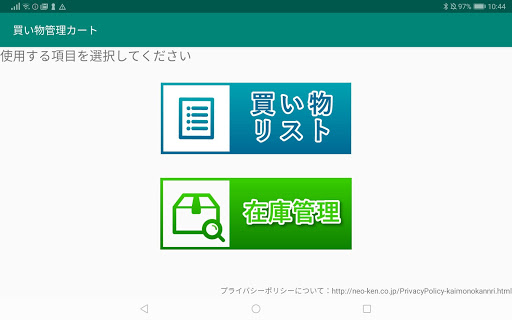
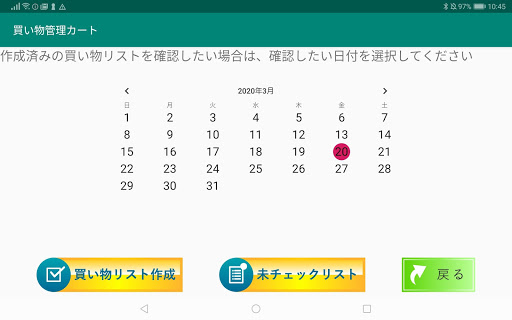
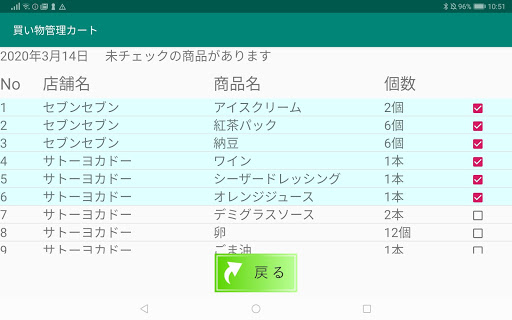
Register the purchased items in the inventory list.◆ Store registrationTap the "Shopping List" button↓Tap "Create Shopping List" button↓Tap the "Store Information" button and tap the "Register" button↓Enter the information of the store where you shop and tap the "Register" button↓Confirm the contents to be registered and tap the "Yes" button↓Registration is complete when the completion message is displayed.↓Tap the "Back" button to return to the store information editing screen.◆ Deleting a storeTap the "Shopping List" button↓Tap "Create Shopping List" button↓Tap the "Store Information" button and tap the "Delete" button↓Tap the store you want to delete↓Confirm the store to be deleted and tap the "Yes" button↓Deletion is completed when a completion message is displayed.↓Tap the "Back" button to return to the store information editing screen.◆ Edit storeTap the "Shopping List" button↓Tap "Create Shopping List" button↓Tap the "Store Information" button and tap the "Edit" button↓Tap store to edit↓Enter your edits and tap the "Register" button↓Confirm the edits and tap the "Yes" button↓Editing is completed when the completion message is displayed.↓Tap the "Back" button to return to the store information editing screen.◆ Registration of shopping listTap the "Shopping List" button↓Tap "Create Shopping List" button↓Tap the "Shopping List" button↓Tap the date you want to register and tap the "Register / Edit" button↓Tap "Register" button↓Enter the information of the product to be registered and tap the "Register" button↓Confirm the contents to be registered and tap the "Yes" button↓Registration is complete when the completion message is displayed.↓Tap the "Back" button to return to the shopping list edit screen.When one or more products are registered, "Edit" and "Delete" buttons will be displayed.* "Edit" and "Delete" are used in the same way as "Edit" and "Delete" at stores.◆ Batch deletion of shopping listTap the "Shopping List" button↓Tap "Create Shopping List" button↓Tap the "Shopping List" button↓Tap the date you want to delete the shopping list all at once, then tap the "Delete All" button↓Confirm the contents of the shopping list to be deleted and tap the "Yes" button↓Batch deletion is complete when a completion message is displayed.↓Tap the "Back" button to return to the shopping list edit screen.◆ Check shopping listTap the "Shopping List" button↓Tap the date you want to check↓When you tap on a purchased product, that product will be checked.↓When all products are checked,The display of "There are unchecked products" at the top of the screen disappears.◆ Check unchecked shopping listTap the "Shopping List" button↓Tap "Unchecked List" button↓Unchecked products will be displayed.◆ Inventory managementTap "Inventory Management" button↓You can "register", "edit" and "delete" the purchased products.* "Registration", "edit" and "delete" are used in the same way as "register", "edit" and "delete".
https://andro.io/app/kashima-1irz2
 Power 100

Android app profile
買い物管理カート for Android – Latest Version & Features
★★★★★
(0 ratings)
Rate this app
How do you feel about 買い物管理カート?
Thanks for your feedback!
> 2.2k
Monthly Downloads
~$900
Estimated Cost
Screenshots









